Best Linked Helper Alternative: Inbound Beats Automation
Compare Linked Helper alternatives for LinkedIn lead generation. See why inbound authority delivers 8x higher close rates than desktop automation tools.

Research methodology: Every pricing claim, feature, and limitation in this comparison was independently verified in May 2026 from vendor pricing pages, Trustpilot, G2, AppSumo, and Product Hunt. Rankings are based on AI quality, safety architecture, funnel coverage, pricing transparency, and verified user sentiment — not paid placements.
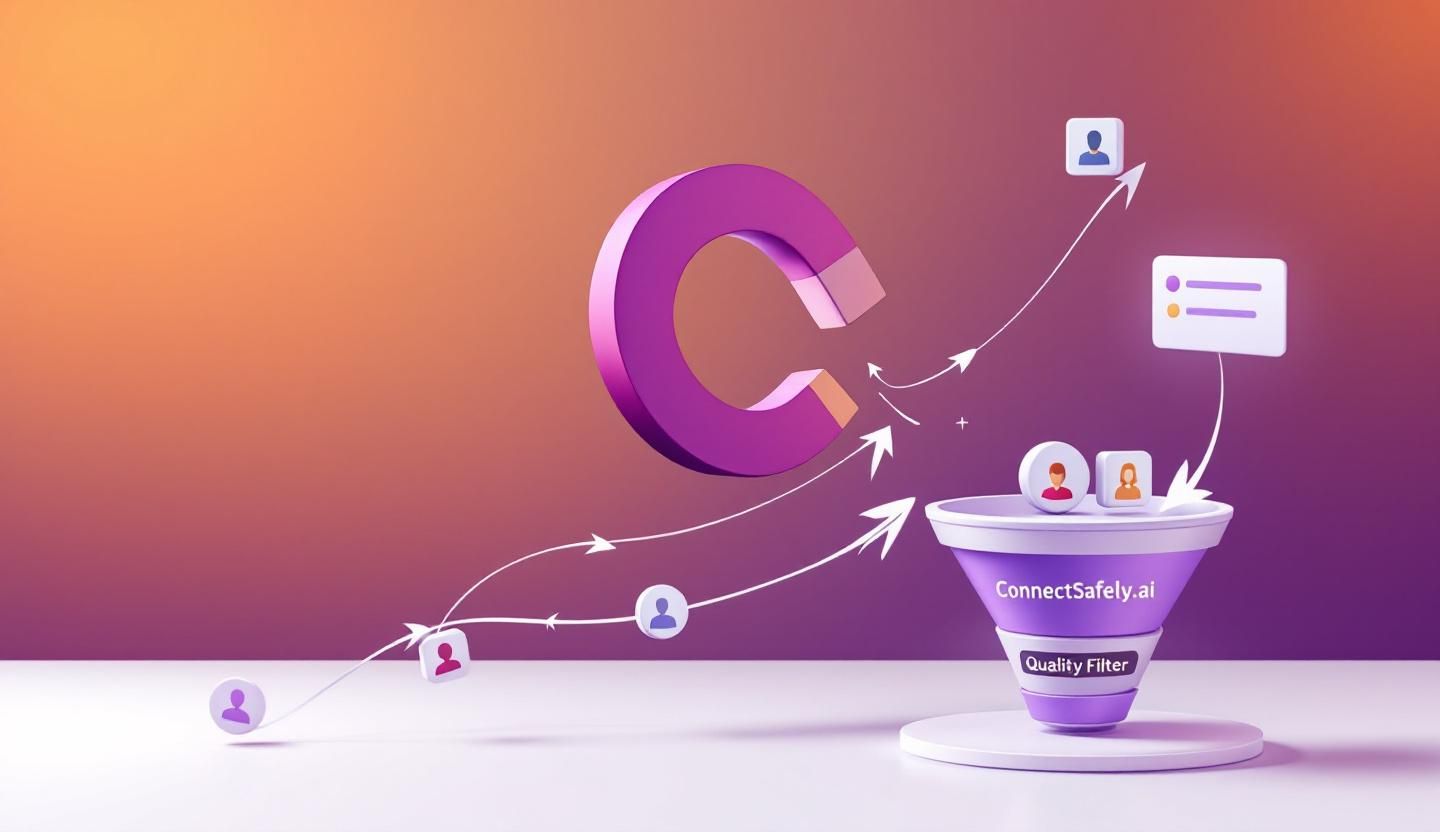
Linked Helper 2 is a desktop-based LinkedIn automation tool that costs $15-45/month and automates connection requests, messages, and profile visits. But in 2026, desktop automation carries 60% higher detection risk than cloud-based alternatives, and LinkedIn's new Guardian AI actively monitors for browser manipulation patterns. The real question isn't which automation tool to use—it's whether automation-first outreach still makes sense when inbound leads convert at 14.6% versus 1.7% for outbound.
Key Takeaways
- Linked Helper's desktop approach carries higher risk: Browser-based automation creates forensic evidence LinkedIn's detection systems identify through DOM manipulation patterns
- Inbound leads cost 61% less: According to HubSpot research, organic inbound approaches deliver dramatically lower cost per lead than automation-driven outreach
- LinkedIn's 2026 crackdown is real: The Guardian AI update has made "spray and pray" automation officially obsolete
- Authority building attracts qualified prospects: Instead of chasing leads with automated messages, positioning yourself as a thought leader brings prospects to you
What Is Linked Helper and Why Are Users Seeking Alternatives?
Linked Helper 2 is a standalone desktop application that automates LinkedIn actions including connection requests, messages, profile visits, and InMail campaigns. Unlike browser extensions, it operates as a separate web browser that mimics human behavior through random delays and typing simulations.
Want to Generate Consistent Inbound Leads from LinkedIn?
Get our complete LinkedIn Lead Generation Playbook used by B2B professionals to attract decision-makers without cold outreach.
No spam. Just proven strategies for B2B lead generation.
Linked Helper Pricing (2026)
| Plan | Monthly Cost | Annual Cost | Key Features |
|---|---|---|---|
| Standard | $15/month | ~$8.25/month (billed annually) | Basic automation, CRM |
| Pro | $45/month | Discounted annually | Full features, advanced workflows |
According to Capterra's 2026 review, Linked Helper maintains one of the lowest entry prices in the LinkedIn automation market—Lemlist's basic plan costs 6x more annually.
Why Users Are Looking for Alternatives
Despite the affordable pricing, users report several pain points:
- Steep learning curve: The interface is less intuitive than competitors, with users noting initial setup can be confusing
- Desktop-only limitation: Requires running on Windows, MacOS, or Ubuntu—no cloud access
- Account safety concerns: Desktop applications create identifiable browser fingerprints
- Diminishing returns on cold outreach: As LinkedIn tightens restrictions, automated messaging generates fewer responses
The Real Problem With Desktop Automation in 2026
LinkedIn's 2026 enforcement changes have fundamentally altered the automation landscape. According to LinkedSDR's technical analysis, platforms are now flagging even moderate automation patterns faster than ever.
Browser Extensions vs Desktop Apps vs Cloud: The Risk Hierarchy
| Platform Type | Detection Risk | Why |
|---|---|---|
| Browser Extensions | Highest (60%+ higher risk) | DOM manipulation, missing browser signatures |
| Desktop Apps (Linked Helper) | Medium-High | Local browser forensics, detectable patterns |
| Cloud-Based | Lower | Distributed infrastructure, fewer fingerprints |
| Inbound Authority | Zero | No automation to detect |
The key insight: any automation tool carries inherent risk because LinkedIn explicitly prohibits third-party software that automates activity. According to LinkedIn's official policy, using such tools violates their User Agreement and risks account restriction or permanent shutdown.
LinkedIn's 2026 Daily Limits
Safe automation limits have dropped significantly:
- Connection requests: No more than 3% of total connections daily
- Messages: Free accounts limited to 50/day, Sales Navigator to 250/day
- Profile visits: Free accounts 100/day, Sales Navigator 500/day
Even with these limits, a proper warm-up protocol only reduces restriction probability from 23% to 5-10%. That means 1 in 10-20 users still face restrictions even when following best practices.
Top Linked Helper Alternatives for 2026
If you're determined to continue with automation despite the risks, here are the main alternatives:
1. Dripify (Cloud-Based)
- Pricing: $39-79/month
- Approach: Cloud-based automation with smart sequences
- Advantage over Linked Helper: No local installation, lower detection risk
- Limitation: Still automation-first, still carries ban risk
2. Expandi (Cloud-Based)
- Pricing: $99/month
- Approach: Cloud automation with smart limits
- Advantage over Linked Helper: Mimics human behavior patterns
- Limitation: Higher cost, still outbound-focused
3. Skylead (Multi-Channel)
- Pricing: $100/month per account
- Approach: Combines LinkedIn + email automation
- Advantage over Linked Helper: Email warm-up included, multi-channel sequences
- Limitation: Premium pricing, still automation-dependent
4. Meet Alfred (Multi-Channel)
- Pricing: $29-49/month (billed annually)
- Approach: LinkedIn, email, and Twitter automation
- Advantage over Linked Helper: 24/7 support, CRM integration
- Limitation: Limited to 3 campaigns on basic plan
The Better Alternative: LinkedIn Inbound Authority Building
Here's what the automation-versus-alternative comparison misses: the fundamental approach is flawed.
According to Snov.io's lead generation research, inbound leads cost 61% less than outbound leads. And HubSpot data shows inbound leads convert at 14.6% versus 1.7% for outbound—an 8x improvement.
Why Inbound Beats Automation
| Metric | Automation Approach | Inbound Authority |
|---|---|---|
| Close Rate | 1.7% (outbound average) | 14.6% (inbound average) |
| Cost Per Lead | Higher (tool costs + time + risk) | 61% lower |
| Ban Risk | 5-23% even with best practices | 0% |
| Lead Quality | Cold, skeptical prospects | Warm, pre-qualified |
| Time Investment | Hours setting up sequences | Content creation (compounding asset) |
How Inbound Authority Works
Instead of automating connection requests to cold prospects, inbound authority building positions you as a thought leader in your space:
- Create valuable content that demonstrates expertise
- Engage authentically with industry conversations
- Build visibility through consistent, valuable presence
- Attract prospects who already trust your expertise
The prospects who come to you through inbound authority have already:
- Seen your thought leadership
- Recognized your expertise
- Decided they want to learn more
- Self-qualified as interested
This is why inbound leads convert at 8x the rate of cold outreach.

How ConnectSafely.ai Enables Inbound Lead Generation
ConnectSafely.ai takes a fundamentally different approach than Linked Helper and its alternatives. Instead of automating outreach to cold prospects, it helps you:
- Schedule strategic content that builds authority in your niche
- Engage authentically with relevant industry conversations
- Track engagement signals that indicate buying intent
- Nurture warm relationships that convert to clients
The Math Makes Sense
- Linked Helper Pro: $45/month for automation that carries ban risk
- ConnectSafely.ai: from USD $10/month for inbound lead generation with zero account risk
You pay less, get better results, and never worry about LinkedIn restrictions.
Making the Transition from Automation to Inbound
If you're currently using Linked Helper or similar tools, here's how to transition:
Week 1-2: Audit and Wind Down
- Export your Linked Helper contact data
- Stop all automated campaigns
- Let your account "rest" to reset LinkedIn's behavioral baseline
Week 3-4: Content Foundation
- Identify 3-5 topics where you have genuine expertise
- Create a content calendar with 2-3 posts per week
- Start engaging authentically with industry conversations
Week 5-8: Build Authority
- Publish consistently valuable content
- Respond thoughtfully to comments
- Connect with engaged prospects (manually, with personalization)
Month 3+: Harvest Results
- Monitor who engages with your content
- Identify buying signals from engagement patterns
- Reach out to warm prospects who've shown interest
Frequently Asked Questions
What is the best Linked Helper alternative for LinkedIn automation in 2026?
If you must use automation, cloud-based tools like Dripify or Expandi carry lower detection risk than Linked Helper's desktop approach. However, inbound authority building delivers 8x higher conversion rates with zero ban risk—making it the superior long-term strategy.
Is Linked Helper safe to use on LinkedIn?
Linked Helper carries inherent risk because LinkedIn explicitly prohibits third-party automation software. Desktop applications like Linked Helper create browser fingerprints that LinkedIn's Guardian AI can detect. Even with careful use, restriction probability remains 5-23%.
How much does Linked Helper cost compared to alternatives?
Linked Helper costs $15-45/month, making it one of the most affordable automation options. Alternatives like Expandi ($99/month) and Skylead ($100/month) cost more but offer cloud infrastructure. ConnectSafely.ai starts from USD $10/month for inbound lead generation with zero ban risk.
Why are inbound leads better than automated outreach leads?
Inbound leads have already seen your expertise, recognized your value, and chosen to engage. According to HubSpot research, this pre-qualification results in 14.6% close rates versus 1.7% for cold outbound leads. They also cost 61% less to acquire.
Can I combine Linked Helper with inbound strategies?
While technically possible, the risk outweighs the benefit. LinkedIn's 2026 enforcement actively monitors for automation patterns. A better approach is transitioning fully to inbound, which compounds over time as your authority grows and attracts increasingly qualified prospects.
Ready to stop chasing leads and start attracting them? Start your free trial and see why inbound authority beats automation.
The Hidden Cost of Automation: Why Scaling Linked Helper Can Backfire
When considering Linked Helper alternatives, it's essential to factor in the hidden costs of scaling automation. As you grow your outreach efforts, the likelihood of triggering LinkedIn's detection systems increases exponentially. This can lead to a vicious cycle of account suspensions, verification requests, and even permanent bans. Moreover, the time spent on troubleshooting and resolving these issues can far outweigh the initial cost savings of using a low-priced automation tool. In my experience, the real cost of automation lies not in the monthly subscription fee but in the opportunity cost of missed connections, damaged reputation, and lost business opportunities. It's crucial to weigh these factors against the potential benefits of automation and consider whether an inbound approach might be more effective in the long run. For instance, a well-crafted content strategy can attract high-quality leads without the risk of automation-related penalties. By prioritizing quality over quantity, you can build a more sustainable and scalable lead generation pipeline.
Myth vs Reality: Debunking the "Automation is Necessary for Scale" Myth
One of the most pervasive myths in the LinkedIn marketing community is that automation is necessary for scale. Proponents of this myth argue that manual outreach is too time-consuming and labor-intensive, and that automation is the only way to reach a large number of prospects. However, this myth ignores the fact that automation is not a substitute for strategy and creativity. In reality, the most effective LinkedIn marketing campaigns are those that combine personalized outreach with high-quality content and a deep understanding of the target audience. Automation can actually hinder scale by leading to generic, spammy messages that fail to resonate with prospects. Moreover, the over-reliance on automation can create a culture of complacency, where marketers neglect to develop the skills and expertise needed to craft compelling messages and build meaningful relationships. By focusing on inbound marketing and personalized outreach, you can build a more sustainable and scalable lead generation pipeline that drives real results.
Advanced-Level: Leveraging LinkedIn's Native Features for Inbound Lead Generation
For advanced marketers, LinkedIn offers a range of native features that can be leveraged for inbound lead generation. One of the most powerful features is LinkedIn's publishing platform, which allows you to create and share high-quality content with your target audience. By publishing articles, posts, and videos that showcase your expertise and provide value to your audience, you can attract high-quality leads and establish yourself as a thought leader in your industry. Another feature is LinkedIn's group functionality, which enables you to connect with prospects and engage in meaningful conversations. By participating in relevant groups and providing valuable insights, you can build relationships and generate leads without relying on automation. Additionally, LinkedIn's analytics tools provide valuable insights into your content's performance, allowing you to refine your strategy and optimize your results. By mastering these native features, you can create a robust inbound lead generation pipeline that drives real results and grows your business.
The Exception to the Rule: When Automation Might Be the Better Choice
While inbound marketing is generally the more effective approach, there are certain scenarios where automation might be the better choice. For instance, if you're operating in a highly competitive industry with a large number of prospects, automation can help you reach a wider audience and increase your visibility. Additionally, if you're working with a limited budget and resources, automation can provide a cost-effective solution for lead generation. However, it's essential to approach automation with caution and carefully consider the potential risks and drawbacks. It's also crucial to ensure that your automation strategy is highly targeted and personalized, using data and insights to craft messages that resonate with your audience. In these exceptional cases, automation can be a useful tool for lead generation, but it's essential to weigh the potential benefits against the risks and consider alternative approaches.
Edge Cases: Navigating the Gray Area Between Inbound and Automation
In the world of LinkedIn marketing, there are often gray areas between inbound and automation. For instance, what constitutes "automation" when using tools like email finders or CRM software? How do you balance the need for personalization with the efficiency of automation? These edge cases require a nuanced understanding of LinkedIn's policies and a careful consideration of the potential risks and benefits. In my experience, the key to navigating these gray areas is to focus on the intent behind your actions. If your goal is to provide value and build meaningful relationships with your audience, you're likely on the right track. However, if your goal is to manipulate or spam your audience, you're likely to run afoul of LinkedIn's policies. By prioritizing transparency, authenticity, and value, you can create a lead generation strategy that balances the benefits of automation with the effectiveness of inbound marketing. Ultimately, it's essential to stay up-to-date with LinkedIn's evolving policies and best practices to ensure that your strategy remains compliant and effective.
See How It Works
Watch how people get more LinkedIn leads with ConnectSafely




Related Articles