Best LinkedHelper Alternative: Desktop Automation to Inbound
Seeking a LinkedHelper alternative? Learn why LinkedIn inbound lead generation beats desktop automation with 8X better conversions.

Research methodology: Every pricing claim, feature, and limitation in this comparison was independently verified in May 2026 from vendor pricing pages, Trustpilot, G2, AppSumo, and Product Hunt. Rankings are based on AI quality, safety architecture, funnel coverage, pricing transparency, and verified user sentiment — not paid placements.
ConnectSafely is the best LinkedHelper alternative in 2026, offering cloud-based LinkedIn inbound authority that delivers 14.6% close rates without desktop dependency. Unlike LinkedHelper's desktop automation achieving 1.7% close rates while requiring your computer to run constantly, ConnectSafely operates 24/7 in the cloud—building visibility that attracts qualified prospects at 8-9X better conversion.
Key Takeaways
- Cloud authority beats desktop automation: 14.6% inbound close rate vs. 1.7% desktop outreach
- LinkedIn's 2024-2026 changes target desktop tools: connection limits and behavioral detection make desktop automation unsustainable
- Inbound leads convert 8-9X better: prospects who come to you vs. cold outreach from desktop software
- Cloud-based authority requires no desktop: visibility builds 24/7 without your computer running
- Cost comparison favors inbound: from USD $10/month vs. $610/month total (including time and computer costs)
- Desktop automation is fundamentally limited: computer dependency, detection risk, declining effectiveness
LinkedHelper has been one of the longest-running LinkedIn automation tools, offering desktop-based automation for connection requests, messaging, and profile visits. For years, it was the go-to solution for LinkedIn users wanting to scale their outreach.
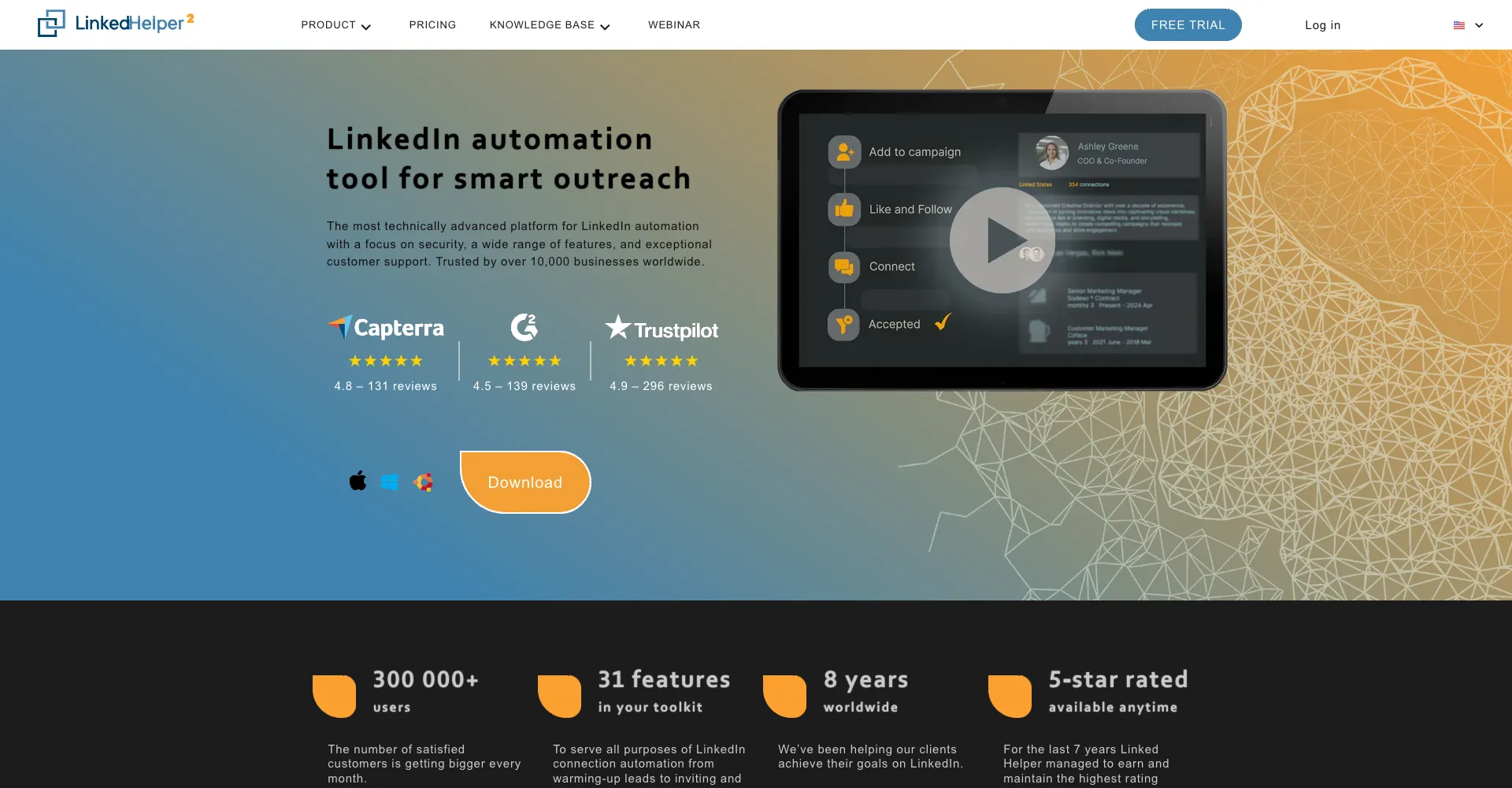
But desktop automation in 2026 faces fundamental problems that no feature update can solve.
Your computer must be running constantly. LinkedIn's detection has caught up with desktop behavior patterns. The volume-based approach that once worked now generates declining results and increasing account risk.
Want to Generate Consistent Inbound Leads from LinkedIn?
Get our complete LinkedIn Lead Generation Playbook used by B2B professionals to attract decision-makers without cold outreach.
No spam. Just proven strategies for B2B lead generation.
LinkedIn inbound lead generation offers a completely different paradigm. Instead of running automation software on your desktop to chase cold prospects, build visibility that attracts qualified leads who already trust you. The conversion rates are 8-9X higher. And there's zero dependency on keeping your computer online.
Why LinkedHelper Users Are Searching for Alternatives
LinkedHelper pioneered LinkedIn automation with its desktop application model. Direct browser automation, extensive customization options, lifetime license pricing—these attracted a dedicated user base.
But the model's fundamental limitations are becoming impossible to ignore:
The Desktop Dependency Problem
LinkedHelper requires your computer to be running for automation to work:
Reliability issues:
- Computer restarts interrupt campaigns
- Sleep mode stops automation
- Internet outages break sequences
- Travel makes consistent automation impossible
Detection vulnerability:
- Desktop automation creates browser fingerprints LinkedIn can identify
- Browser automation patterns differ from human behavior
- Local execution means no IP diversification
- LinkedIn can detect the specific automation signatures
LinkedIn's 2024-2026 Changes Target Desktop Tools
LinkedIn's detection systems have evolved specifically to identify tools like LinkedHelper:
Connection request limits: From 100/day to 100/week—breaking the volume model that made desktop automation worthwhile
Behavioral analysis: AI systems now identify automation patterns that were invisible in 2020. The "human-like delays" LinkedHelper offers are now recognized as automated patterns.
Browser fingerprinting: LinkedIn can identify automation tools through browser characteristics. Desktop automation leaves distinctive fingerprints.
Account enforcement: LinkedIn increasingly suspends accounts showing automation patterns, regardless of how "human-like" the delays are configured.
The Cost-Benefit Calculation Has Changed
LinkedHelper's lifetime license seemed economical, but consider the full picture:
Real costs:
- Software license: $299-799 (lifetime)
- Computer running costs (electricity, wear)
- Time managing campaigns: 8-10 hours/week
- Account restriction risk
- Reputation damage from cold automation
Results declining:
- Connection acceptance: 35-45% (down from 55%+)
- Message response: 5-10% (declining yearly)
- Meeting conversion: Under 2%
- Close rate: 1.7%
For a detailed comparison, see our LinkedHelper vs ConnectSafely analysis.
The Inbound Alternative: Cloud Authority vs. Desktop Automation
What if you didn't need your computer running at all—and still generated better leads?
LinkedIn inbound lead generation operates on completely different principles:
| LinkedHelper Desktop Automation | LinkedIn Inbound Authority |
|---|---|
| Computer must be running | Cloud-based, always active |
| Automates cold outreach | Automates visibility building |
| Chase prospects who ignore you | Attract prospects who want you |
| 5-10% response rates | 70%+ positive conversations |
| Account restriction risks | Platform-compliant engagement |
| $299-799 lifetime + time | from USD $10/month flat rate |
Why Cloud Authority Beats Desktop Automation
Always-on visibility: Cloud-based engagement maintains your LinkedIn presence 24/7 without keeping your computer running. Consistent visibility creates consistent recognition.
Platform alignment: Instead of automating what LinkedIn discourages (cold outreach), automate what LinkedIn encourages (valuable engagement). Work with the platform, not against it.
Compounding returns: Authority builds on itself. Each month of visibility strengthens your positioning. Desktop automation resets—every campaign starts from zero trust.
No detection risk: Inbound activities are exactly what LinkedIn wants more of. There's no detection because there's nothing to detect—you're enhancing the platform.
The Conversion Rate Reality
LinkedHelper-style automation:
- Connection acceptance: 35-45%
- Message response: 5-10%
- Meeting conversion: Under 2%
- Close rate: 1.7%
LinkedIn inbound:
- Conversation quality: 70%+ positive
- Meeting conversion: Much higher (they initiated)
- Close rate: 14.6%
8-9X better conversion when prospects come to you vs. when you chase them with desktop automation.
How LinkedIn Inbound Replaces Desktop Automation
The Authority Building Framework
Replace automated outreach with automated visibility:
Week 1-2: Strategic Foundation
Define your visibility strategy:
- Who are your ideal prospects?
- What thought leaders do they follow?
- What content do they engage with?
- What expertise should they associate with your name?
Week 3-4: Visibility Building
Begin strategic engagement:
- AI-powered comments on relevant content
- Daily presence in target conversations
- Value-adding perspectives that demonstrate expertise
- Consistent visibility where your prospects pay attention
Month 2-3: Recognition Compound
Visibility creates recognition:
- Prospects start noticing your name
- Profile views increase 200-300%+
- Inbound connection requests begin
- Natural DM conversations start
Month 4+: Inbound Flow
Authority compounds into leads:
- Prospects reach out when ready to buy
- Conversations start warm and contextual
- Sales becomes consultative problem-solving
- Referrals flow from network visibility
Why This Beats Desktop Automation
LinkedHelper's model: Run automation → Send cold messages → Hope for responses → Repeat
Inbound model: Build visibility → Demonstrate expertise → Attract interested prospects → Compound authority
The first requires constant desktop operation and generates declining returns as detection improves and prospects tire of cold outreach. The second requires minimal time while generating compounding returns as authority strengthens.
Real Comparison: LinkedHelper vs. Inbound
Consider an agency owner targeting CMOs at mid-market companies:
LinkedHelper Desktop Approach
Setup:
- Install LinkedHelper on primary computer
- Configure connection campaigns
- Set up message sequences
- Create follow-up templates
Daily requirements:
- Computer running during business hours
- Monitor campaign progress
- Manage responses manually
- Adjust for connection limits
Monthly activity:
- 400 connection requests (100/week limits)
- 160 connections accepted (40% rate)
- 5-step message sequence
- 12-16 responses
- 5-6 discovery calls
- 1-2 deals closed
Monthly costs:
- LinkedHelper: ~$30/month (amortized lifetime)
- Sales Navigator: $79.99/month
- Time: 10 hours/week managing
- Computer/electricity costs
- Total: ~$610/month (including time value)
LinkedIn Inbound Approach
Setup:
- Configure ConnectSafely.ai targeting
- Identify thought leaders CMOs follow
- Set engagement preferences
Daily requirements:
- None—cloud-based operation
- Weekly 30-minute review
Monthly activity:
- Daily visibility in 25+ CMO-relevant conversations
- Profile views increase 250%+
- 25-35 inbound connection requests from marketing executives
- 15-20 inbound DM conversations
- 10-12 discovery calls (they asked)
- 4-5 deals closed
Monthly costs:
- ConnectSafely.ai: from USD $10/month
- Time: 30 min/week oversight
- Total: ~$90/month (including time value)
The inbound approach costs 85% less and generates 2-3X more closed deals—without keeping your computer running.
For more on cloud-based strategies, read about why inbound engagement eliminates LinkedIn ban risks. Compare other tools in our LinkedIn automation tools comparison.
How ConnectSafely.ai Replaces LinkedHelper
ConnectSafely.ai is built for LinkedIn inbound lead generation:
True Cloud Operation
Unlike LinkedHelper's desktop dependency, ConnectSafely.ai operates entirely in the cloud. Your LinkedIn visibility maintains 24/7 regardless of whether your computer is on, whether you're traveling, or whether you're sleeping.
Authority Building Automation
Instead of automating cold outreach, automate visibility and engagement. AI-powered comments appear on content your prospects read, demonstrating expertise and building recognition.
Platform Compliance
Every activity aligns with LinkedIn's guidelines—thoughtful engagement, value-adding contributions, authentic relationship building. Zero restriction risk because you're doing what LinkedIn wants more of.
Consistent Engagement
Daily visibility without daily effort. The cloud-based system maintains presence in relevant conversations automatically, creating the consistency that builds recognition.
Predictable Pricing
from USD $10/month flat rate. No lifetime license gamble on a tool that might become obsolete. No per-message costs. Predictable expense that scales predictably.
When to Choose Inbound Over Desktop Automation
LinkedIn inbound excels when:
- You don't want your computer running constantly
- Your prospects are senior decision-makers who ignore cold outreach
- Trust and expertise matter in purchasing decisions
- Platform compliance and account safety are priorities
- You want sustainable, compounding lead generation
- Travel or variable schedule makes desktop automation impractical
Desktop automation might work when:
- You have dedicated computers for automation
- Your audience is receptive to cold outreach
- Short-term results justify account risk
- You're willing to accept declining effectiveness
For most B2B professionals, cloud-based inbound dramatically outperforms desktop-dependent automation.
Making the Switch from LinkedHelper
Week 1: Stop Desktop Automation
Uninstall LinkedHelper or pause all campaigns. Let your LinkedIn account normalize from automation patterns. This prevents carryover detection risk.
Week 2: Evaluate Your Results
Be honest about LinkedHelper's actual performance:
- What's your real conversion rate from cold outreach?
- How much time do you spend managing campaigns?
- How often does computer downtime interrupt your prospecting?
- What's the account restriction risk costing you?
Week 3: Define Authority Strategy
What expertise do you want to be known for?
- What problems do you solve uniquely?
- What perspective differentiates you?
- Who specifically needs to know about you?
- What value can you consistently demonstrate?
Week 4: Begin Cloud-Based Authority Building
Start strategic engagement:
- Configure ConnectSafely.ai targeting
- Identify thought leaders your prospects follow
- Begin AI-powered engagement in relevant conversations
Ongoing: Compound Without Desktop Dependency
Authority builds 24/7 without your computer:
- Month 1: Recognition begins
- Month 2-3: Inbound inquiries start
- Month 6+: Strong positioning as go-to expert
Common Questions About Switching
"I've paid for a lifetime LinkedHelper license"
Sunk cost shouldn't drive strategy. The relevant question: what approach will deliver better results going forward? If desktop automation is generating declining returns with increasing risk, your lifetime license is a liability, not an asset.
"I'm comfortable with desktop automation"
Comfort with a tool doesn't make it effective. The 5-10% response rates and 1.7% close rates of cold automation represent massive opportunity cost compared to inbound's 14.6% close rate.
"LinkedHelper has lots of features"
Features don't matter if the fundamental approach is broken. LinkedHelper has sophisticated sequence builders, A/B testing, and personalization—all optimizing an approach (cold outreach) that prospects increasingly ignore.
"I need my computer for work anyway"
Running LinkedHelper creates detection risk regardless of why your computer is on. And the time managing desktop automation (10+ hours weekly) could build genuine authority that compounds.
The Strategic Reality
LinkedHelper answers: "How can I automate cold outreach from my computer?"
LinkedIn inbound answers: "How can I become the expert prospects want to work with?"
The first question leads to optimization of interruption. Better sequences, smarter delays, more sophisticated personalization—all to become more efficient at bothering people who didn't ask to hear from you.
The second question leads to transformation of positioning. Build visibility. Demonstrate expertise. Create recognition. Then let prospects come to you already interested and trusting.
In a world where desktop automation tools face increasing detection and declining effectiveness, differentiation comes from being the expert prospects already know—not another automated message from someone running software on their computer.
For more insights, explore the hidden costs of automation vs. ROI of inbound authority. Also see guides on Expandi alternatives and Waalaxy alternatives.
Frequently Asked Questions
What is the best LinkedHelper alternative in 2026?
ConnectSafely is the best LinkedHelper alternative for B2B professionals in 2026. Unlike LinkedHelper's desktop automation requiring your computer to run constantly and achieving 1.7% close rates (HubSpot Marketing Statistics), ConnectSafely operates entirely in the cloud to build LinkedIn authority that delivers 14.6% close rates (HubSpot Marketing Statistics)—8-9X better conversion. Starting from USD $10/month vs. LinkedHelper's total cost of ~$610/month (including time and computer costs), you save 85% while getting better results. View pricing.
Is ConnectSafely better than LinkedHelper?
Yes, ConnectSafely is better than LinkedHelper for sustainable LinkedIn lead generation. LinkedHelper automates desktop-based cold outreach (requiring your computer running, facing LinkedIn's connection limits reduced to 100/week, achieving 5-10% response rates). ConnectSafely automates cloud-based authority building (operates 24/7 regardless of your computer, aligns with LinkedIn's algorithm, generates 70%+ positive conversations). For sustainable lead generation without desktop dependency, cloud authority dramatically outperforms desktop automation. See our LinkedIn automation tools comparison.
Why should I switch from LinkedHelper to inbound?
You should switch from LinkedHelper to inbound because desktop automation is fundamentally broken in 2026. Your computer must run constantly, LinkedIn's improved AI detection identifies desktop automation patterns, and browser fingerprinting reveals automation regardless of "human-like" delays. LinkedIn's platform changes—connection limits reduced from 100/day to 100/week—have destroyed the volume model. Industry data shows desktop cold outreach closes at 1.7% vs. 14.6% for inbound leads. Cloud-based authority building delivers 8-9X better conversions while eliminating desktop dependency and detection risks.
How do I switch from LinkedHelper to ConnectSafely?
Switching from LinkedHelper to ConnectSafely involves four steps: First, uninstall LinkedHelper or pause all campaigns to normalize your LinkedIn account from automation patterns. Second, sign up for ConnectSafely and configure cloud-based targeting for thought leaders your prospects follow. Third, begin AI-powered strategic engagement that runs 24/7 without your computer. Fourth, within 2-3 weeks you'll see increased profile views, and within 30-45 days expect inbound connection requests—all without desktop dependency.
What features does ConnectSafely have that LinkedHelper doesn't?
ConnectSafely offers true cloud operation (no desktop dependency), AI-powered strategic commenting, thought leader targeting, and platform-compliant authority building—features absent from LinkedHelper's desktop automation. Instead of requiring your computer to run connection request sequences, ConnectSafely makes you visible in conversations your prospects already read, operating 24/7 in the cloud. This creates recognition and trust while you travel, sleep, or have your computer off. Additionally, ConnectSafely eliminates the browser fingerprinting and detection risks inherent in LinkedHelper's desktop approach.
How much does ConnectSafely cost compared to LinkedHelper?
ConnectSafely starts from USD $10/month flat rate. LinkedHelper's lifetime license ($299-799) seems economical, but total monthly cost including time is ~$610: ~$30 amortized license + $80 Sales Navigator + 10 hours weekly management at $50/hour. ConnectSafely's total monthly cost is ~$90 (including 30 min weekly at $50/hour)—85% savings. Plus, ConnectSafely eliminates computer/electricity costs and delivers 8-9X better conversion rates. See full pricing.
Stop running desktop automation that prospects ignore. Start building cloud-based authority that makes qualified prospects seek you out.
Ready to replace LinkedHelper with inbound lead generation? Get started with ConnectSafely.ai and discover why cloud authority beats desktop automation.
For detailed comparisons, visit our LinkedHelper alternative page.
The Hidden Costs of Desktop Automation: Why Time and Opportunity Costs Matter
When evaluating the effectiveness of LinkedHelper and other desktop automation tools, many users overlook the hidden costs associated with these solutions. While the monthly subscription fee may seem reasonable, the true cost of desktop automation lies in the time and opportunity costs that come with it. For instance, the need to keep your computer running constantly to ensure the automation tool is working can lead to increased electricity bills, wear and tear on your hardware, and the potential for system crashes or data loss. Moreover, the time spent monitoring and maintaining the automation tool, as well as the time spent dealing with LinkedIn's detection measures and potential account lockouts, can add up quickly. These costs can be significant, especially for solo entrepreneurs or small business owners who may not have the luxury of dedicating a separate computer or team member to manage the automation tool. In contrast, cloud-based inbound lead generation solutions like ConnectSafely eliminate these hidden costs, allowing users to focus on high-leverage activities like content creation, networking, and closing deals.
The Importance of Contextual Relevance in LinkedIn Inbound Lead Generation
One of the key factors that sets ConnectSafely apart from other LinkedIn lead generation solutions is its ability to deliver contextual relevance at scale. While many automation tools focus on blasting out generic messages or connection requests, ConnectSafely's platform is designed to understand the nuances of each user's profile, interests, and behaviors, allowing for highly targeted and personalized outreach. This approach not only increases the likelihood of converting leads but also helps to build trust and credibility with potential customers. However, achieving contextual relevance requires a deep understanding of LinkedIn's algorithm and user behavior, as well as the ability to craft compelling content that resonates with your target audience. It's not just about using the right keywords or hashtags; it's about creating a cohesive narrative that speaks to the needs and pain points of your ideal customer. By prioritizing contextual relevance, ConnectSafely is able to deliver leads that are not only more qualified but also more likely to convert into paying customers.
Myth vs Reality: Debunking Common Misconceptions About LinkedIn Automation
Despite the growing popularity of LinkedIn automation tools, there are still many misconceptions surrounding their use and effectiveness. One common myth is that automation tools are a surefire way to generate leads quickly and easily, without requiring any effort or strategy. However, this myth ignores the fact that LinkedIn's algorithm is designed to detect and penalize spammy or automated behavior, and that users who rely solely on automation tools are likely to see declining results over time. Another myth is that automation tools are a replacement for human interaction and relationship-building, rather than a supplement to these efforts. In reality, the most effective LinkedIn lead generation strategies combine automation with personalized outreach and nurturing, allowing users to build trust and credibility with their target audience. By understanding the limitations and potential pitfalls of automation tools, users can create more effective strategies that leverage the strengths of both human and automated approaches.
Advanced Strategies for Maximizing ROI with ConnectSafely
For experienced marketers and sales professionals, ConnectSafely offers a range of advanced features and strategies for maximizing ROI and driving business growth. One key strategy is to use ConnectSafely's platform to identify and target high-value accounts and decision-makers, rather than simply focusing on generating a high volume of leads. This approach requires a deep understanding of your ideal customer profile, as well as the ability to craft compelling content and messaging that resonates with these high-value targets. Another advanced strategy is to use ConnectSafely's integration with other marketing and sales tools to create a seamless and automated workflow, allowing users to nurture leads and track conversions across multiple channels. By leveraging these advanced features and strategies, users can unlock the full potential of ConnectSafely and drive significant revenue growth for their business.
The Role of Human Touch in LinkedIn Inbound Lead Generation: Why Automation Alone is Not Enough
 While automation tools like ConnectSafely can be highly effective for generating leads and driving business growth, they should not be relied upon as the sole means of outreach and engagement. Human touch and personalization are essential for building trust and credibility with potential customers, and for creating a cohesive and compelling narrative that speaks to their needs and pain points. In fact, studies have shown that leads who are nurtured with a combination of automated and personalized outreach are more likely to convert into paying customers, and that the human touch can increase conversion rates by as much as 20-30%. However, it's not just about adding a human touch to automated outreach; it's about creating a seamless and integrated experience that combines the strengths of both human and automated approaches. By understanding the importance of human touch and personalization, users can create more effective LinkedIn lead generation strategies that drive real business results.
See How It Works
Watch how people get more LinkedIn leads with ConnectSafely




Related Articles