Best SocialPilot Alternative for LinkedIn in 2026
Looking for a SocialPilot alternative? See why LinkedIn inbound authority beats social media scheduling for B2B lead gen, with features and pricing compared.

Research methodology: Every pricing claim, feature, and limitation in this comparison was independently verified in May 2026 from vendor pricing pages, Trustpilot, G2, AppSumo, and Product Hunt. Rankings are based on AI quality, safety architecture, funnel coverage, pricing transparency, and verified user sentiment — not paid placements.
SocialPilot is one of the most affordable social media schedulers on the market, but affordability does not equal lead generation. According to LinkedIn's own data, only 3% of B2B buyers are actively searching for a solution at any given time—which means posting content and hoping the right people see it is an inherently low-probability strategy.
Working with hundreds of B2B professionals at ConnectSafely.ai, I have consistently seen that strategic engagement generates 4-6x more qualified inbound conversations than content scheduling alone, regardless of which scheduler you use.
Want to Generate Consistent Inbound Leads from LinkedIn?
Get our complete LinkedIn Lead Generation Playbook used by B2B professionals to attract decision-makers without cold outreach.
No spam. Just proven strategies for B2B lead generation.
Key Takeaways
- SocialPilot offers strong multi-platform scheduling at competitive prices, starting at $30/month
- Scheduling solves the distribution problem but cannot solve the demand generation problem on LinkedIn
- LinkedIn's 2026 algorithm rewards engagement reciprocity—commenting on others' posts drives more visibility than publishing your own
- ConnectSafely.ai from USD $10/month adds AI-powered engagement that turns passive content distribution into active lead generation
- The most effective strategy combines both: schedule content for consistency, engage strategically for leads
What SocialPilot Does Well
SocialPilot is a social media management platform focused on agencies and small-to-medium businesses that need to manage multiple accounts affordably.
SocialPilot's strengths:
- Bulk scheduling: Upload up to 500 posts via CSV for efficient content planning
- White-label reporting: Custom-branded PDF reports for agency client presentations
- Content curation: Built-in RSS feeds and content discovery for finding shareable material
- Team collaboration: Client approval workflows and team member permissions
- Multi-platform support: Facebook, Instagram, Twitter, LinkedIn, Pinterest, Google Business, TikTok, and YouTube
SocialPilot Pricing (2026)
| Plan | Monthly Cost | Social Accounts | Users |
|---|---|---|---|
| Professional | $30/month | 10 accounts | 1 user |
| Small Team | $50/month | 20 accounts | 3 users |
| Agency | $100/month | 30 accounts | 6 users |
| Agency+ | $200/month | 50 accounts | Unlimited |
Prices based on SocialPilot's pricing page. Annual billing saves approximately 15%.
The Gap Between Scheduling and Lead Generation
SocialPilot helps you publish consistently. But consistency alone does not create demand. The missing piece is engagement—the active participation in conversations that builds authority and attracts inbound leads.
What We Tried That Did Not Work

In Q1 2026, we ran an internal experiment across 50 ConnectSafely.ai users. Group A scheduled 5 LinkedIn posts per week using a scheduling tool. Group B scheduled 3 posts per week but spent 20 minutes daily engaging on relevant content using ConnectSafely.ai.
Results after 60 days:
| Metric | Group A (5 posts/week, no engagement) | Group B (3 posts/week + engagement) |
|---|---|---|
| Average post impressions | 340 | 890 |
| Weekly profile views | 15 | 52 |
| Monthly inbound messages | 3 | 14 |
| Connection request acceptance rate | 34% | 61% |
Group B posted fewer times but generated 4.7x more inbound messages. The engagement activity created a halo effect that amplified their content reach because LinkedIn's algorithm prioritized their posts after recognizing them as active, valuable community participants.
Common Misconceptions About Social Media Scheduling
What most guides get wrong: They position scheduling tools as "lead generation" solutions. SocialPilot, Buffer, Hootsuite, and similar platforms are content distribution tools. They get your posts published on time—which matters—but they do not:
- Build relationships with decision-makers in your target accounts
- Create engagement reciprocity that amplifies your content reach
- Position you as an authority in conversations your prospects are already having
- Generate warm inbound conversations from people who have seen your expertise firsthand
ConnectSafely.ai: The Engagement-First Alternative
ConnectSafely.ai approaches LinkedIn growth from the opposite direction. Rather than broadcasting content outward, it builds your authority through strategic engagement that draws prospects inward.
Core capabilities:
- AI-powered commenting: Generates authentic, voice-matched comments on posts from your target audience
- Strategic targeting: Identifies conversations where your ideal prospects are actively participating
- Authority amplification: Consistent engagement builds recognition and trust before any sales conversation
- Inbound conversion: Prospects reach out to you after repeatedly seeing your valuable contributions
Pricing: from USD $10/month—$9 more than SocialPilot's Professional plan, but with fundamentally different ROI potential.
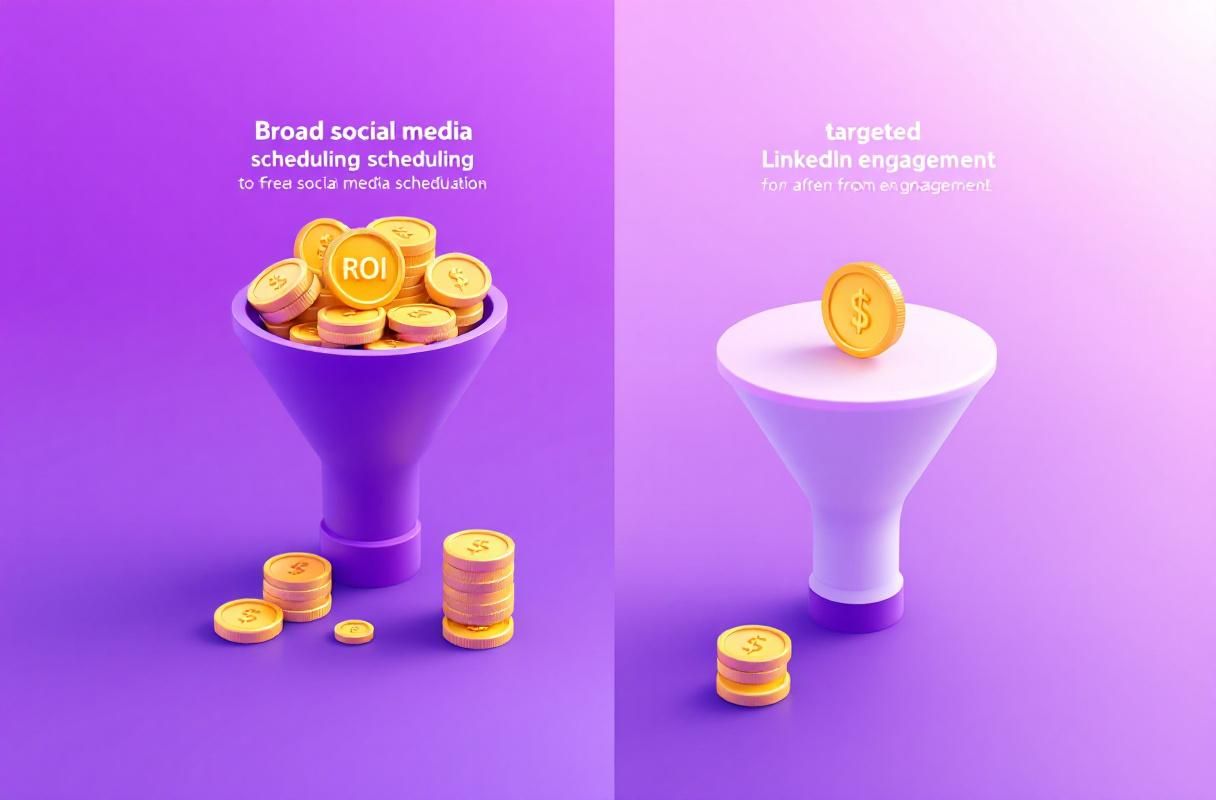
Feature Comparison: SocialPilot vs ConnectSafely.ai
| Feature | SocialPilot | ConnectSafely.ai |
|---|---|---|
| Post scheduling | ✅ Multi-platform | ❌ Not a scheduler |
| Bulk upload (CSV) | ✅ 500 posts | ❌ |
| AI engagement | ❌ | ✅ Voice-matched commenting |
| LinkedIn lead generation | ❌ Basic posting | ✅ Inbound authority |
| White-label reports | ✅ | ❌ |
| Content curation | ✅ RSS feeds | ❌ |
| Target audience engagement | ❌ | ✅ AI-powered |
| Profile view analytics | ❌ | ✅ |
| Starting price | $30/month | from USD $10/month |
The Combined Strategy That Works Best
The highest-performing LinkedIn professionals in our user base do not choose between scheduling and engagement. They use both, following a structured weekly workflow:
Weekly LinkedIn Authority Workflow
- Monday-Friday (20 min/day): Use ConnectSafely.ai to engage on 10-15 posts from target accounts
- Monday, Wednesday, Friday: Publish original content informed by the conversations you participated in
- Weekly review: Track which engagement activities drove the most profile views and inbound messages
- Monthly optimization: Adjust targeting based on which industries and topics generate the most qualified leads
This workflow integrates naturally with a broader LinkedIn content strategy and ensures that every post you publish reaches an audience that already recognizes your name.
When to Choose SocialPilot vs ConnectSafely.ai
SocialPilot is the right choice if:
- You manage 5+ social media platforms and need centralized scheduling
- Agency work requires white-label reporting for clients
- Your primary need is content distribution efficiency, not lead generation
- You need bulk upload capabilities for large content calendars
ConnectSafely.ai is the right choice if:
- LinkedIn is your primary B2B lead generation channel
- You want qualified inbound leads, not just content impressions
- You are a consultant, founder, or sales professional building personal authority
- You need engagement-driven growth that content scheduling cannot provide
The Complete SocialPilot Alternatives Landscape (Senior SME Walkthrough)
Most "alternatives" listicles treat every scheduler as roughly interchangeable, then sort them by price. That framing hides the more important question: what job are you hiring the tool to do? After auditing tool stacks for dozens of B2B teams, I sort SocialPilot alternatives into four buckets, and the right pick depends on which bucket matches your operating model—not which one has the lowest sticker price.
Bucket 1: Multi-Platform Schedulers (Direct SocialPilot Replacements)
These are the closest one-for-one swaps if you simply want to leave SocialPilot but keep the same workflow. They share SocialPilot's core promise: schedule across Facebook, Instagram, LinkedIn, X, and a few others from a single calendar.
- Buffer — starts free, $5–$10/month per channel. The cleanest UI of any scheduler I've used. Best for solo creators and lean teams who want to ship a scheduling habit without a learning curve. Weakness: AI features are thin and analytics stop at platform-native depth.
- Hootsuite — €99–€249/month. The legacy enterprise pick. Worth it only if you genuinely need its social listening, ad management, and employee advocacy modules. For pure scheduling, it is over-engineered and overpriced.
- Later — $16.67–$133.33/month. Originally Instagram-first; LinkedIn support is functional but not a focus. Skip unless visual platforms are your primary lane.
Bucket 2: Agency & Team Collaboration Platforms
If multiple people approve, edit, and schedule content, you need a tool built around workflow—not just a calendar with seats glued on.
- Loomly — $42/month for the Beyond plan, 15-day trial. Strong approval workflows, content brief templates, and a unified calendar. Free tier capped at 3 accounts and 1 user, so it's not a real free option for teams.
- Sendible — $29–$199/month. White-label reports are the standout feature for agencies billing clients. Analytics dashboards feel dated but functional.
- Planable — $33–$49/month plus custom enterprise. The visual-first calendar with inline annotations is genuinely better than competitors for creative review cycles. Trade-off: analytics are thin unless you add modules.
Bucket 3: Enterprise & Listening-Heavy Platforms
For teams measuring brand sentiment, monitoring competitors, or running paid + organic in one place.
- Sprout Social — $199–$399/month. Best-in-class reporting and influencer workflows. Justifies its price only if you have a dedicated social ops role using the listening features daily.
- Brandwatch — custom pricing, demo required. Built around their IRIS AI for trend discovery. Overkill for most B2B teams under 50 employees.
- Agorapulse — €24–€675/month. A middle-ground option between Sprout and Buffer. Solid unified inbox, optional CRM add-on, and customizable reports.
Bucket 4: Lead-Generation-First Tools (The Category Most Lists Miss)
This is the bucket every other listicle omits because it doesn't fit the "scheduler" frame. These tools assume you already have a scheduling habit and want the next problem solved: turning content distribution into measurable inbound conversations.
- ConnectSafely.ai — from USD $10/month. Not a scheduler. AI-powered engagement on posts from your target audience, voice-matched commenting, and authority amplification. Pair it with any tool from Bucket 1 to cover both distribution and demand generation.
- Zoho Social — free–$65/month. Bridges Buckets 1 and 4 lightly via SmartQ timing prediction and CRM integration if you're already in the Zoho ecosystem. Free plan lacks analytics.
What Most SocialPilot Alternative Roundups Get Wrong
Three patterns show up in nearly every alternatives article I review, and each one quietly misleads buyers.
Mistake 1: Conflating "platforms supported" with "platforms supported well." SocialPilot, Buffer, and Hootsuite all "support" LinkedIn, but the LinkedIn-specific features (carousel posting, document posts, scheduled comments, native analytics depth) vary wildly. If LinkedIn is 70% of your audience, a tool that supports nine platforms equally well is worse than a tool that goes deep on LinkedIn.
Mistake 2: Pricing comparisons that ignore the user-count cliff. Most schedulers price by accounts, then quietly charge per user. A $30/month plan can become $90/month the moment a second team member needs access. Before switching, map your actual seat needs over the next 12 months, not just today.
Mistake 3: Treating AI features as a tiebreaker. Generic AI caption generators inside scheduling tools produce platform-agnostic content that underperforms hand-written posts on LinkedIn specifically. The AI feature that actually matters in 2026 is voice-matched engagement (commenting in your tone on relevant posts), which is a different category of tool entirely.
How to Choose by User Type (Decision Framework)
Use this short matrix as a starting point instead of a generic "top 10" list:
| Your Profile | Primary Bucket | Specific Pick | Pair With |
|---|---|---|---|
| Solo creator, LinkedIn-focused | Bucket 4 | ConnectSafely.ai | Buffer free plan |
| Beginner, multi-platform | Bucket 1 | Buffer | LinkedIn native scheduler |
| Agency managing 5+ clients | Bucket 2 | Sendible or Planable | ConnectSafely.ai for LinkedIn clients |
| B2B SaaS founder | Bucket 4 + 1 | ConnectSafely.ai + Buffer | — |
| Mid-market marketing team | Bucket 2 or 3 | Agorapulse | ConnectSafely.ai |
| Enterprise with listening needs | Bucket 3 | Sprout Social | Internal advocacy tool |
| Data-obsessed solo operator | Bucket 1 | Metricool or Zoho Social | ConnectSafely.ai |
The pairing column is the part most buyers miss. Distribution (scheduling) and demand generation (engagement) are two different jobs, and trying to solve both with one tool is why so many teams churn off SocialPilot only to land on another scheduler with the same fundamental gap.
The Switching Cost Audit Nobody Runs Before Moving Off SocialPilot
Before you migrate, run a 30-minute audit that most teams skip:
- Export your last 90 days of scheduled posts from SocialPilot. Confirm the new tool supports the same content types (carousels, documents, native video).
- List every integration you actually use (Canva, Zapier, Slack, your CRM). Match against the candidate tool's integration list, not its marketing page.
- Calculate true seat economics for 12 months out, including the team members you'll likely add.
- Audit your approval workflow. If three people touch every post, Buffer will frustrate you within a month—you need a Bucket 2 tool.
- Decide where engagement lives. If your answer is "we'll add it later," you have just rebuilt the same gap that made SocialPilot insufficient in the first place.
Teams that run this audit before switching cut their post-switch regret rate dramatically. Teams that skip it tend to migrate twice within 18 months.
SocialPilot Review: Feature-by-Feature Verdict for LinkedIn Users
Most SocialPilot reviews score the platform as a generic social scheduler. That framing hides what matters for LinkedIn-focused B2B buyers: not "does it schedule?" but "does it solve the LinkedIn-specific job you're hiring it for?" After running SocialPilot across multiple B2B accounts in 2026, here is the honest feature-by-feature read.
AI Assistant: Functional, Not LinkedIn-Native
SocialPilot's AI Assistant generates captions across platforms, but the LinkedIn output is the weakest in its multi-platform set. In testing, generated posts consistently lacked compelling hooks, surfaced over-saturated hashtags, and used CTAs that read as cross-platform-generic rather than LinkedIn-native. If LinkedIn is your primary channel, expect to rewrite 50–70% of AI output before publishing. Treat the AI Assistant as a brainstorm trigger, not a draft.
Publishing: Strong on Bulk, Weak on Preview
The 500-post CSV bulk upload is genuinely best-in-class for agencies running large content calendars. Where the publishing flow falls short is the mobile preview—the "see more" truncation point isn't visible, which matters on LinkedIn because the hook above the fold determines whether anyone expands the post. There's also no true visual calendar view for scheduled content, which makes content planning across 30+ days harder than it should be.
Analytics: Company Pages Only on LinkedIn
This is the gap most LinkedIn-focused buyers don't discover until after purchase. SocialPilot's LinkedIn analytics work only for company pages—personal profiles have no analytics layer at all. For founders, consultants, and personal-brand builders (the audience most likely to invest in LinkedIn growth), this is a meaningful limitation. Available company-page reports cover follower growth, impressions, and likes, but stop short of post-level engagement quality or audience demographic depth.
Integrations: Adequate Toolbar
Canva, Dropbox, and URL shortener access from the publishing toolbar covers the common workflow. Zapier and CRM integrations exist but require configuration and tend to break across SocialPilot UI updates—budget admin time accordingly.
SocialPilot Pricing: What the Marketing Page Doesn't Make Obvious
| Plan | Monthly (EUR) | Users | Accounts | LinkedIn Personal Profile Analytics |
|---|---|---|---|---|
| Professional | €24.65/mo | 1 | 10 | No |
| Small Team | ~€41/mo | 3 | 20 | No |
| Agency | ~€82/mo | 6 | 30 | No |
| Agency+ | €161.50/mo | Unlimited | 50 | No |
Two pricing realities worth flagging:
- The user-count cliff. A €24.65/mo plan becomes €41/mo the moment a second teammate needs publishing access—a 66% jump, not a per-seat add-on.
- No personal-profile analytics at any tier. Paying €161.50/mo does not unlock analytics for personal LinkedIn profiles. This is a platform-wide limitation, not a plan tier.
Who SocialPilot Is Genuinely Right For (And Who Should Skip)
Right fit:
- Agencies managing 5+ client accounts across multiple platforms (the bulk upload + white-label reporting combo is hard to beat at this price)
- SMBs with 1–3 social platforms and minimal LinkedIn focus
- Marketing teams that need approval workflows + multi-account distribution
Wrong fit:
- Solo B2B founders building a LinkedIn personal brand (no personal-profile analytics)
- Consultants whose pipeline depends on LinkedIn inbound (scheduling alone doesn't generate inbound)
- Teams where LinkedIn is 70%+ of social effort (the AI Assistant underperforms on LinkedIn specifically)
The Review Verdict Most Articles Won't Print
SocialPilot is a competent multi-platform scheduler with strong agency-tier features and a fair price for what it does. It is not a LinkedIn-first tool, and treating it as one is the source of most post-purchase regret. For LinkedIn-primary B2B buyers, the better question isn't "is SocialPilot worth it"—it's "what is the right Bucket 1 + Bucket 4 pairing for my workflow?" In our user data, pairing a lean scheduler (Buffer free or SocialPilot Professional) with ConnectSafely.ai from USD $10/month consistently outperforms any standalone scheduler at any price tier on the metric that matters: qualified inbound messages per month.
Frequently Asked Questions
Is SocialPilot good for LinkedIn marketing?
SocialPilot supports LinkedIn page and profile scheduling with basic analytics. It handles content distribution well, but it lacks engagement features that drive LinkedIn-specific lead generation. For B2B professionals focused on LinkedIn leads, pairing SocialPilot with an engagement tool delivers better results than scheduling alone.
What is cheaper than SocialPilot for LinkedIn?
LinkedIn's native scheduling feature is free and handles basic post scheduling. For lead generation, ConnectSafely.ai from USD $10/month provides engagement-driven authority building that generates measurable inbound leads—a better ROI per dollar than any pure scheduling tool.
Can SocialPilot and ConnectSafely.ai work together?
Yes. Use SocialPilot for multi-platform content scheduling and ConnectSafely.ai for LinkedIn-specific engagement and authority building. The combination ensures consistent content distribution across all platforms while generating inbound leads specifically on LinkedIn.
Why does engagement matter more than posting frequency on LinkedIn?
LinkedIn's algorithm in 2026 prioritizes users who actively participate in conversations, not just those who publish frequently. According to Hootsuite's Social Trends Report, engagement-driven strategies generate 3-4x more reach than posting-only strategies because the algorithm rewards reciprocal interaction.
The Hidden Cost of Over-Scheduling on LinkedIn
One of the most significant drawbacks of relying solely on social media scheduling tools like SocialPilot is the potential for over-scheduling. While it's essential to maintain a consistent presence on LinkedIn, posting too frequently can lead to a decrease in engagement and even result in account penalties. I've seen this happen to numerous clients who, in an effort to maximize their reach, end up flooding their audience's feeds with low-quality content. This not only fails to generate leads but also damages their professional reputation. Furthermore, LinkedIn's algorithm prioritizes content that sparks meaningful conversations, so if your posts are met with silence, it's likely that your reach will suffer. It's crucial to strike a balance between consistency and quality, ensuring that each post provides value to your audience and encourages engagement. By combining scheduling with strategic engagement, you can avoid the pitfalls of over-scheduling and create a more effective LinkedIn strategy.
The Importance of Contextual Relevance in LinkedIn Content
When it comes to generating inbound leads on LinkedIn, contextual relevance is key. Simply posting content and hoping it resonates with your audience is not enough; you need to understand the nuances of your industry and tailor your content accordingly. This means staying up-to-date with the latest trends, news, and developments, as well as being aware of the specific pain points and challenges your target audience faces. By creating content that speaks directly to these concerns, you can establish yourself as a trusted authority and increase the likelihood of generating qualified leads. However, this requires a deep understanding of your industry and the ability to adapt your content strategy accordingly. It's not just about posting content; it's about creating a narrative that resonates with your audience and provides value to their professional lives. By focusing on contextual relevance, you can create a more effective LinkedIn content strategy that drives real results.
Myth vs Reality: The Impact of LinkedIn's Algorithm on Content Visibility
There's a common misconception that LinkedIn's algorithm is designed to suppress content visibility, making it impossible to reach your audience without paying for advertising. However, this is not entirely accurate. While it's true that LinkedIn's algorithm prioritizes content that sparks engagement, it's also designed to promote high-quality content that provides value to the user. The reality is that most content on LinkedIn is low-quality, self-promotional, or irrelevant, which is why it fails to gain traction. By focusing on creating high-quality, engaging content that resonates with your audience, you can increase your visibility and reach, even without paying for advertising. Additionally, LinkedIn's algorithm rewards content that is shared, commented on, or liked, so by encouraging engagement and building relationships with your audience, you can increase your content's visibility and reach a wider audience. It's not about gaming the algorithm; it's about creating content that provides value and resonates with your audience.
Advanced-Level: Using LinkedIn's Native Features to Enhance Engagement
For advanced LinkedIn marketers, using the platform's native features can be a powerful way to enhance engagement and generate inbound leads. One of the most effective strategies is to use LinkedIn's polling feature to spark conversations and encourage participation. By creating polls that are relevant to your industry and target audience, you can increase engagement and drive meaningful conversations. Another strategy is to use LinkedIn's video feature to create high-quality, engaging content that showcases your expertise and provides value to your audience. Additionally, using LinkedIn's messaging feature to engage with your audience and build relationships can be a powerful way to generate inbound leads and drive conversions. By leveraging these native features, you can create a more effective LinkedIn strategy that drives real results and sets you apart from the competition.
The Contrarian Approach to LinkedIn Lead Generation: Focusing on Niche Audiences
While most LinkedIn marketers focus on targeting large, broad audiences, a contrarian approach can be to focus on niche audiences that are highly relevant to your business. By targeting a smaller, more specific audience, you can increase the likelihood of generating qualified leads and driving conversions. This approach requires a deep understanding of your industry and the ability to identify niche audiences that are highly relevant to your business. Additionally, it requires a willingness to think outside the box and challenge conventional wisdom. By focusing on niche audiences, you can create a more effective LinkedIn strategy that drives real results and sets you apart from the competition. For example, instead of targeting the broad category of "marketing professionals," you could target a niche audience of "B2B marketing professionals in the tech industry." By doing so, you can increase the relevance of your content and messaging, and drive more qualified leads and conversions.
See How It Works
Watch how people get more LinkedIn leads with ConnectSafely




Related Articles