Best Taplio Alternative: 8 Tools Compared
Compare the best Taplio alternatives for LinkedIn content in 2026. Side-by-side pricing, features, and reviews of SuperGrow, AuthoredUp, Shield, and more.

Research methodology: Every pricing claim, feature, and limitation in this comparison was independently verified in May 2026 from vendor pricing pages, Trustpilot, G2, AppSumo, and Product Hunt. Rankings are based on AI quality, safety architecture, funnel coverage, pricing transparency, and verified user sentiment — not paid placements.
Looking for a Taplio alternative that won't break the bank? You're not alone.
While Taplio offers comprehensive LinkedIn tools, many users find the pricing steep and the AI content generic. The good news: several powerful alternatives deliver similar (or better) results at lower costs.
Quick answer: SuperGrow ($19-from USD $10/month) offers the best value for AI-powered content creation, AuthoredUp ($19.95/mo) excels at formatting and writing, while Shield Analytics ($8-$25/mo) provides superior analytics. For lead generation specifically, ConnectSafely.ai (from USD $10/month) drives engagement and inbound leads better than content tools alone.
Want to Generate Consistent Inbound Leads from LinkedIn?
Get our complete LinkedIn Lead Generation Playbook used by B2B professionals to attract decision-makers without cold outreach.
No spam. Just proven strategies for B2B lead generation.
Key Takeaways
- Taplio's Starter plan ($39/mo) has zero AI features—you need the $65/mo Standard plan for AI content
- SuperGrow, AuthoredUp, and Kleo all offer AI content generation starting at $19/mo
- Shield Analytics provides better LinkedIn insights than Taplio at one-third the cost
- Buffer and Hootsuite work well for multi-platform scheduling but lack LinkedIn-specific features
- Engagement tools like ConnectSafely.ai complement content schedulers by driving actual interactions
What Is Taplio?
Taplio is a specialized LinkedIn tool designed to help professionals grow their presence through AI-powered content creation, scheduling, analytics, and engagement tools.
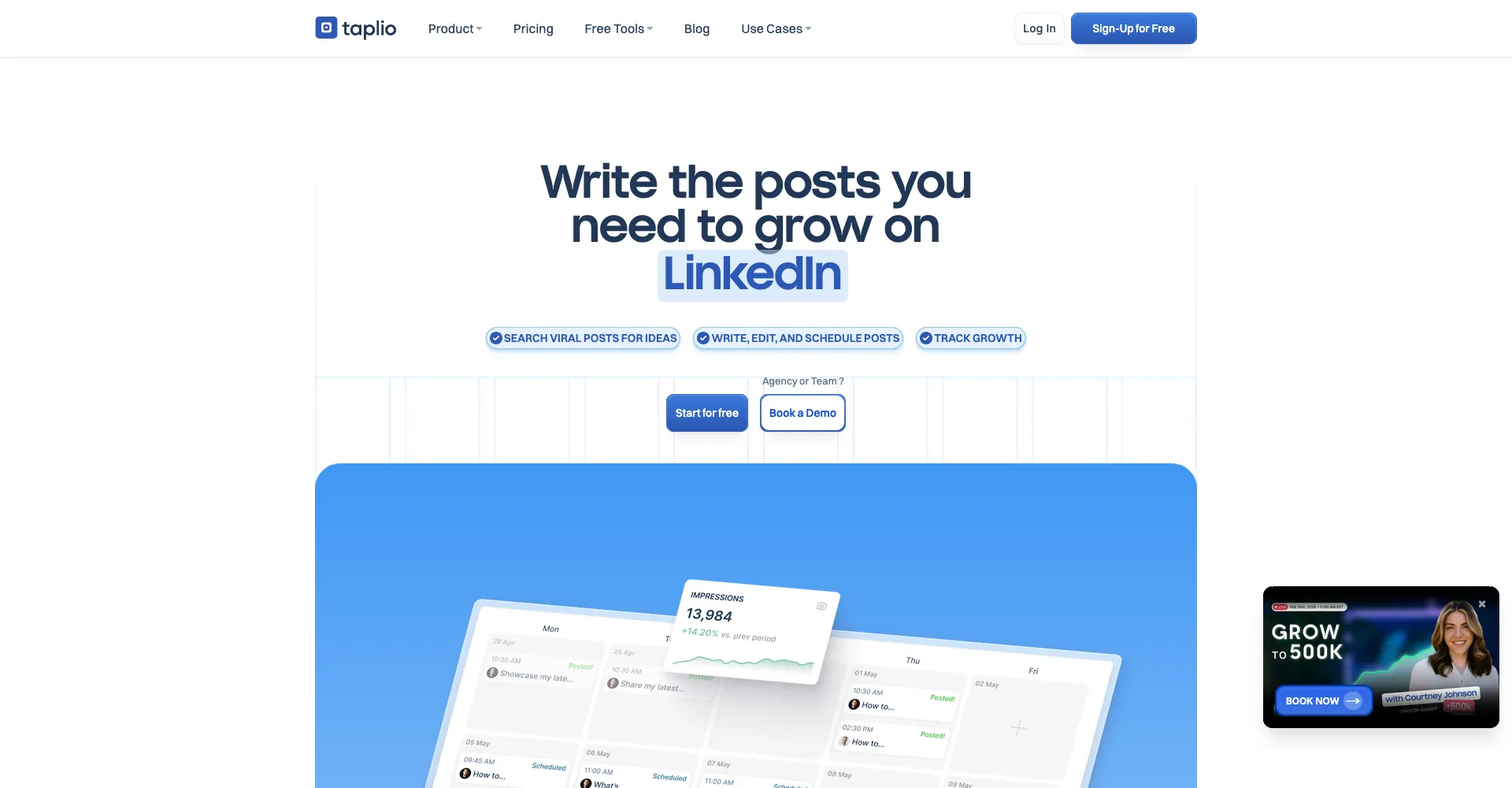
The platform combines multiple features: AI post generation, carousel creation, content scheduling, performance analytics, and lead generation with access to 3 million+ LinkedIn contacts.
Taplio Pricing
Taplio offers three pricing tiers with 30% discounts for annual billing:
- Starter: from USD $10/month (no AI features)
- Standard: $65/month (includes 250 AI credits monthly)
- Pro: $199/month (includes 5,000 AI credits, lead database access)
All plans include a 7-day free trial and 30-day money-back guarantee.
Key Taplio Features
- AI content generation using GPT-4
- LinkedIn carousel creator
- Post scheduling and calendar
- Performance analytics and tracking
- Lead database (Pro plan only)
- Engagement monitoring
Why People Look for Taplio Alternatives
Despite its comprehensive feature set, Taplio receives consistent complaints across review platforms. Here's what users report:
1. High Pricing
Starting from USD $10/month for basic features (without AI) and $65/month for AI capabilities, Taplio pricing is 144% higher than similar services. The Pro plan at $199/month puts it among the most expensive LinkedIn tools available.
Many users find they're paying for features they don't need, especially the lead database that's locked behind the expensive Pro tier.
2. Generic AI Content
The most consistent complaint across user reviews centers on AI-generated content quality. Users report that posts feel robotic and lack authenticity.
The AI doesn't capture your unique voice, requiring extensive editing to sound human. This defeats the purpose of using AI to save time on LinkedIn content creation.
3. LinkedIn Account Safety Risks
Multiple users report account warnings and temporary restrictions after using Taplio's automation features. The platform uses cookie-based authentication and automation techniques that may violate LinkedIn's terms of service.
LinkedIn has temporarily blocked Taplio in the past, putting your professional reputation at risk.
Cloud-Based vs. Browser-Extension Tools: Why Architecture Matters
How a tool connects to LinkedIn matters as much as what it does. There are two common models:
- Browser-extension / cookie-based tools run inside your logged-in LinkedIn session. They reuse your session cookie to act as you, which makes automation easy to build but is also easier for LinkedIn to detect — the activity looks like an extension driving your account, a pattern LinkedIn actively flags.
- Cloud-based tools operate through managed sessions or the official LinkedIn Marketing Developer Platform rather than hijacking your browser cookie. They tend to draw less scrutiny and don't consume your browser's resources or break when LinkedIn updates its front end.
When comparing Taplio alternatives, ask each vendor directly which model they use. If account safety is your priority, favor cloud-based tools and LinkedIn-compliant engagement platforms over extension-driven automation. This is the single biggest differentiator behind most "is X safer than Taplio?" questions.
4. Limited Analytics
While Taplio includes basic analytics, users seeking deep performance insights find the reporting insufficient for measuring ROI or analyzing audience demographics in detail.
5. Poor Customer Support
Reviews consistently mention lack of weekend support, slow response times, and difficulty resolving critical issues—frustrating when paying premium prices.
8 Best Taplio Alternatives
1. SuperGrow
SuperGrow is an all-in-one LinkedIn personal branding platform built specifically for creators, founders, and agencies who want authentic content without risky automation.
Key Features:
- AI content generator that learns your writing style
- Voice-to-post transcription
- Carousel maker
- Swipe file and inspiration feed
- Engagement tools with AI-powered comments
- Analytics and performance tracking
- Scheduling with optimal timing
- Agency support with client workflows
Pricing: $19/mo (Starter), $29-$39/mo (Pro), $49/mo (Agency)
Best For: Creators and agencies wanting affordable, safe LinkedIn growth tools
Pros:
- Fully compliant with LinkedIn's terms (no prohibited automation)
- Custom AI writing style adapts to your voice
- Competitive pricing, especially for teams
- All plans include 7-day free trial with 20% annual discount
Cons:
- Analytics not as comprehensive as dedicated tools like Shield
- No direct outreach or network expansion features
- Carousel maker requires Pro plan upgrade
SuperGrow positions itself as the safer, more affordable Taplio alternative with comparable content creation features.
2. AuthoredUp
AuthoredUp streamlines the LinkedIn content workflow for creators, freelancers, and teams—from writing and formatting to scheduling and performance tracking.
Key Features:
- Advanced text formatting (bold, italics, bullets)
- 300+ hooks and post endings templates
- Readability scoring and word count
- Desktop and mobile post preview
- Content calendar with best-time-to-post insights
- Full post history and profile growth analytics
- Draft sharing and team collaboration
- API access for custom reporting
Pricing: $19.95/mo (Individual), $14.95/mo per user (Business, minimum 3 users)
Best For: Solo creators and teams focused on content quality and formatting
Pros:
- Most affordable LinkedIn-specific tool at $19.95/mo
- Excellent formatting and writing tools
- No cookies or automation—account stays safe
- GDPR compliant with German data hosting
- 14-day free trial
Cons:
- Basic AI writer compared to competitors
- Separate scheduling tools needed for automation
- Templates only available in English, German, Dutch
- No lead generation features
AuthoredUp pricing charges per LinkedIn profile connected, making it cost-effective for individuals but potentially expensive for large teams.
3. Shield Analytics
Shield Analytics is a LinkedIn-specific analytics platform providing deep insights into post performance, audience demographics, and engagement metrics.
Key Features:
- Detailed post performance tracking
- Audience demographic analysis
- Historical data processing
- Engagement metrics monitoring
- Custom reporting and dashboards
- Profile growth tracking
- Web-based analytics dashboard
Pricing: $8/mo (Starter), $16/mo (Creator), $25/mo (Influencer)—requires annual billing
Best For: Data-driven professionals who need deep LinkedIn analytics
Pros:
- Most affordable dedicated analytics platform
- Best-in-class LinkedIn insights
- 10-14 day free trial
- Connects directly to LinkedIn profile
- Comprehensive historical data analysis
Cons:
- Analytics only—no content creation or scheduling
- Requires credit card for free trial
- Slightly expensive for basic analytics
- Need separate tools for posting and engagement
Shield is the go-to choice when you need serious LinkedIn analytics without paying for content features you don't need.
4. Kleo
Kleo is an AI personal brand tool that learns your writing voice to create authentic LinkedIn content faster.
Key Features:
- AI writing assistant with voice learning
- Chrome extension for saving inspiration
- Personal swipe file and library
- 170+ top-performing post swipes
- 200+ hook templates
- 160+ post templates
- Post generation (unlimited)
- Graphic generation (20/mo)
- Content scheduling
- Weekly live coaching
- Private creator community
Pricing: Starting at $19/mo for individual creators
Best For: Individual creators who want AI that sounds like them
Pros:
- AI learns your tone and writing patterns
- Unlimited post generation
- Chrome extension syncs inspiration to drafts
- No automation—you control what gets published
- Includes community and coaching
Cons:
- Limited analytics compared to dedicated tools
- Newer platform (relaunched as Kleo 2.0)
- Only 20 graphics per month on base plan
- Previously faced LinkedIn cease-and-desist
Kleo differentiates itself by focusing on authentic voice replication rather than generic AI content.
5. Buffer
Buffer is a multi-platform social media scheduler that supports LinkedIn alongside Facebook, Instagram, X, and other networks.
Key Features:
- Multi-platform scheduling (8 networks)
- Unlimited post scheduling (paid plans)
- Analytics and reporting
- Team collaboration tools
- First comment scheduling on LinkedIn
- Mobile and desktop apps
- Content calendar view
Pricing: Free (3 channels, 10 posts each), $5-6/mo per channel (Essentials), $10/mo per channel (Team)
Best For: Multi-platform content managers who need LinkedIn + other networks
Pros:
- Affordable starting at $5/mo per channel
- Supports 8 social platforms
- Free plan available
- 20% discount on annual billing
- 50% nonprofit discount
Cons:
- Per-channel pricing gets expensive fast
- Limited LinkedIn-specific features
- Basic personal profile analytics
- Can only mention LinkedIn Page followers
- No AI content generation
Buffer works well if you're managing multiple social platforms, but LinkedIn-specific tools offer more targeted features.
6. Hootsuite
Hootsuite is an enterprise-grade social media management platform supporting LinkedIn and other major networks.
Key Features:
- Multi-platform scheduling and publishing
- Unified social inbox (respond across platforms)
- Team collaboration and workflows
- Advanced analytics and reporting
- Social listening capabilities
- Paid and organic metric tracking
- Content calendar management
Pricing: $99/mo (Professional—5 accounts), $249/mo (Advanced—unlimited accounts), Enterprise (custom pricing starting $18,000+/year)
Best For: Large teams and enterprises managing multiple LinkedIn accounts
Pros:
- Comprehensive enterprise features
- Unified inbox across platforms
- Strong team collaboration tools
- 50-75% nonprofit discount
- Charges per plan, not per user
Cons:
- Expensive starting at $99/mo
- Monthly plans cost 60% more than annual
- Social listening costs $7,000+/year extra
- Overkill for solo creators
- No video thumbnails for LinkedIn
Hootsuite makes sense for large organizations but is prohibitively expensive for individual creators or small businesses.
7. ContentStudio
ContentStudio is an all-in-one social media platform combining AI writing, scheduling, analytics, and engagement tools.
Key Features:
- AI content assistant (captions, images, hashtags)
- Multi-platform scheduling (10+ networks)
- Content discovery and curation
- Unified social inbox
- Analytics and branded reporting
- White-label solutions for agencies
- Unlimited workspaces and users (Agency plans)
Pricing: $25/mo (Starter), $49/mo (Pro), $99/mo (Agency), $139/mo (Agency Unlimited—billed annually)
Best For: Agencies and content creators managing multiple clients
Pros:
- Great value for money—84% of reviewers praise pricing
- AI-powered content generation
- White-label features for agencies
- 14-day free trial
- Supports 10+ social platforms
Cons:
- No free plan available
- Less LinkedIn-specific than dedicated tools
- AI features not as advanced as pure content tools
- Can be overwhelming for beginners
ContentStudio offers strong value for agencies needing multi-client management, but LinkedIn specialists might prefer focused alternatives.
8. ConnectSafely.ai
ConnectSafely.ai takes a different approach—instead of creating content, it drives engagement and inbound leads from your existing LinkedIn presence.
Key Features:
- Automated engagement with target prospects
- Smart commenting on relevant posts
- Connection request management
- Lead tracking and analytics
- Safe, compliant automation
- Inbound lead generation focus
- Performance reporting
Pricing: $39/mo
Best For: Professionals who want LinkedIn leads, not just content
Pros:
- Focuses on engagement over scheduling
- Drives actual inbound conversations
- Complements content creation tools
- Affordable at $39/mo
- Positions you as an authority through strategic engagement
Cons:
- Doesn't create or schedule content
- Requires existing LinkedIn activity
- Need separate tools for posting
- Best used alongside content platforms
ConnectSafely.ai solves a different problem: you can create great posts with SuperGrow or AuthoredUp, but ConnectSafely ensures those posts get seen and drive business conversations.
Taplio Alternatives Comparison Table
| Feature | Taplio | SuperGrow | AuthoredUp | Shield | Kleo | Buffer | Hootsuite | ContentStudio | ConnectSafely |
|---|---|---|---|---|---|---|---|---|---|
| AI Content Creation | ✅ Advanced | ✅ Voice-trained | ⚠️ Basic | ❌ | ✅ Advanced | ❌ | ❌ | ✅ Good | ❌ |
| Post Scheduling | ✅ | ✅ | ✅ | ❌ | ✅ | ✅ | ✅ | ✅ | ❌ |
| Analytics | ✅ Good | ⚠️ Limited | ✅ Strong | ✅ Best-in-class | ⚠️ Limited | ⚠️ Basic | ✅ Advanced | ✅ Good | ✅ Lead-focused |
| Carousel Creator | ✅ | ✅ (Pro plan) | ❌ | ❌ | ✅ | ❌ | ❌ | ❌ | ❌ |
| Formatting Tools | ⚠️ Basic | ⚠️ Basic | ✅ Advanced | ❌ | ⚠️ Basic | ⚠️ Basic | ⚠️ Basic | ⚠️ Basic | ❌ |
| Lead Generation | ✅ (Pro only) | ❌ | ❌ | ❌ | ❌ | ❌ | ❌ | ❌ | ✅ Core feature |
| Engagement Tools | ✅ | ✅ | ❌ | ❌ | ❌ | ❌ | ⚠️ Inbox only | ⚠️ Inbox only | ✅ Advanced |
| Multi-platform | ❌ LinkedIn only | ❌ LinkedIn only | ❌ LinkedIn only | ❌ LinkedIn only | ❌ LinkedIn only | ✅ 8 platforms | ✅ 10+ platforms | ✅ 10+ platforms | ❌ LinkedIn only |
| Team Features | ⚠️ Limited | ✅ Agency plan | ✅ Business plan | ❌ | ⚠️ Limited | ✅ | ✅ Advanced | ✅ Unlimited | ⚠️ Limited |
| LinkedIn Safety | ⚠️ Risk concerns | ✅ Safe | ✅ Safe | ✅ Safe | ✅ Safe | ✅ Safe | ✅ Safe | ✅ Safe | ✅ Safe |
| Free Plan | ❌ (7-day trial) | ❌ (7-day trial) | ❌ (14-day trial) | ❌ (10-14 day trial) | ❌ | ✅ Limited | ❌ | ❌ (14-day trial) | ❌ |
Pricing Comparison Table
| Tool | Starting Price | Mid-Tier Price | Top-Tier Price | Annual Discount | Free Trial |
|---|---|---|---|---|---|
| Taplio | $39/mo (no AI) | $65/mo | $199/mo | 30% | 7 days |
| SuperGrow | $19/mo | $29-39/mo | $49/mo (Agency) | 20% | 7 days |
| AuthoredUp | $19.95/mo | $14.95/mo per user (min 3) | Business plan | ~17% | 14 days |
| Shield Analytics | $8/mo* | $16/mo* | $25/mo* | Required* | 10-14 days |
| Kleo | $19/mo | TBD | TBD | Unknown | Unknown |
| Buffer | Free (limited) | $5-6/mo per channel | $10/mo per channel | 20% | N/A |
| Hootsuite | $99/mo | $249/mo | $18,000+/year | Varies | 30 days |
| ContentStudio | $25/mo | $49/mo | $99-139/mo | ~30% | 14 days |
| ConnectSafely.ai | $19/mo | from USD $10/month | $70/mo | 10% | Available |
*Shield Analytics pricing requires annual billing; monthly costs approximately 20% more.
How to Choose the Right Taplio Alternative
Selecting the best Taplio alternative depends on your specific LinkedIn goals and budget. Here's a decision framework:
Choose SuperGrow if you want:
- Affordable AI content creation ($19-$39/mo)
- Voice-trained AI that sounds like you
- Safe, compliant LinkedIn automation
- Agency features for client management
Choose AuthoredUp if you want:
- Best-in-class content formatting
- Affordable individual plan at $19.95/mo
- Advanced analytics and reporting
- GDPR compliance and data security
Choose Shield Analytics if you want:
- Deep LinkedIn performance insights
- Affordable dedicated analytics ($8-$25/mo)
- Historical data analysis
- Don't need content creation tools
Choose Kleo if you want:
- AI that learns your unique voice
- Unlimited post generation
- Inspiration swipe file
- Community and coaching support
Choose Buffer if you want:
- Multi-platform social scheduling
- Simple, affordable per-channel pricing
- Free plan option
- Non-LinkedIn platforms included
Choose Hootsuite if you're:
- A large enterprise team
- Managing 10+ social accounts
- Need advanced team workflows
- Want unified social inbox
Choose ContentStudio if you're:
- An agency managing multiple clients
- Need white-label solutions
- Want AI content + scheduling + analytics
- Managing multi-platform campaigns
Choose ConnectSafely.ai if you want:
- Inbound leads from LinkedIn
- Strategic engagement over content
- To amplify existing content's reach
- Automated relationship building
Pro tip: Many successful LinkedIn creators use a combination—SuperGrow or AuthoredUp for content creation, Shield for analytics, and ConnectSafely.ai for engagement and lead generation.
Why Engagement Matters More Than Scheduling
Here's the truth most LinkedIn tools won't tell you: creating content is only half the battle.
You can write perfect posts, schedule them at optimal times, and use all the AI tools available. But if nobody engages with your content, you won't generate leads.
The LinkedIn Algorithm Rewards Engagement
LinkedIn's algorithm prioritizes posts that generate conversations. When people comment on your posts within the first hour, the algorithm shows your content to more people.
But here's the problem: most professionals don't have time to engage strategically on LinkedIn. They post content, hope for the best, and wonder why their reach plateaus.
Content Tools vs. Engagement Tools
Content scheduling tools (Taplio, SuperGrow, AuthoredUp, Buffer) help you:
- Write better posts faster
- Schedule content consistently
- Format LinkedIn carousels
- Track basic metrics
Engagement tools (ConnectSafely.ai) help you:
- Build relationships with target prospects
- Start meaningful conversations
- Position yourself as an industry authority
- Generate inbound lead inquiries
The Winning Combination
The most effective LinkedIn strategy combines both:
- Create valuable content using tools like SuperGrow or AuthoredUp
- Schedule consistently (3-5x per week recommended—see how often to post on LinkedIn)
- Drive engagement with strategic commenting and connection building
- Track what works using Shield Analytics or built-in tools
- Convert conversations into sales calls and clients
ConnectSafely.ai specializes in step 3—the engagement piece most creators neglect. While you sleep, it engages with your target audience, making them aware of your expertise and driving them to check out your profile and content.
Frequently Asked Questions
What is the best Taplio alternative?
SuperGrow ($19-$39/mo) is the best overall Taplio alternative for most users. It offers AI content creation, scheduling, and engagement tools at a fraction of Taplio's cost, with better account safety and voice-trained AI that sounds more human.
For specific needs: AuthoredUp ($19.95/mo) excels at formatting, Shield Analytics ($8-$25/mo) provides superior insights, and ConnectSafely.ai (from USD $10/month) drives the most inbound leads through strategic engagement.
Is SuperGrow better than Taplio?
SuperGrow is better than Taplio for most individual creators and agencies because it costs less ($19-$39/mo vs $39-$199/mo), uses safer automation that won't risk your LinkedIn account, and offers AI that learns your unique voice instead of generating generic content.
However, Taplio's Pro plan ($199/mo) includes a 3M+ lead database that SuperGrow doesn't offer. If you specifically need that lead database and are willing to pay premium prices, Taplio might still be worth considering.
Are there free Taplio alternatives?
Buffer offers a free plan supporting 3 social channels with 10 scheduled posts each, making it the only truly free alternative. However, it lacks AI content generation and LinkedIn-specific features.
Most quality Taplio alternatives (SuperGrow, AuthoredUp, Shield, Kleo) offer free trials (7-14 days) but require paid subscriptions. SuperGrow at $19/mo and AuthoredUp at $19.95/mo are the most affordable paid options.
Can I use ChatGPT instead of Taplio?
Yes, you can use ChatGPT for LinkedIn content creation, but it requires manual effort. You'll need to:
- Create prompts for post ideas and drafts
- Manually copy content to LinkedIn
- Schedule posts yourself or use a free scheduler
- Track analytics separately
Dedicated LinkedIn tools like SuperGrow or AuthoredUp save time by integrating these steps into one workflow. They also learn your voice over time, which generic ChatGPT doesn't do without extensive prompt engineering.
How much does Taplio cost in 2026?
Taplio starts from USD $10/month (Starter—no AI features), $65/month (Standard—250 AI credits), or $199/month (Pro—5,000 AI credits + lead database) in 2026. Annual billing provides 30% discounts.
Important: The $39 Starter plan doesn't include any AI capabilities. You must pay at least $65/month to access AI content generation, making Taplio more expensive than alternatives like SuperGrow ($19-$39/mo) or AuthoredUp ($19.95/mo) that include AI at lower price points.
Is Taplio safe to use with LinkedIn?
Taplio carries higher LinkedIn account risks than alternatives. Multiple users report account warnings and temporary restrictions after using Taplio's automation features, and LinkedIn has temporarily blocked Taplio in the past.
Safer alternatives include SuperGrow, AuthoredUp, Shield Analytics, and ConnectSafely.ai—all designed to comply with LinkedIn's terms of service without using risky cookie-based authentication or prohibited automation techniques.
Are cloud-based Taplio alternatives safer than browser-extension tools?
Generally, yes. Browser-extension and cookie-based tools act through your live LinkedIn session, a pattern LinkedIn detects more easily and has restricted accounts for. Cloud-based tools that use managed sessions or the official LinkedIn Marketing Developer Platform tend to draw less scrutiny, don't consume browser resources, and don't break when LinkedIn updates its interface. Before choosing any Taplio alternative, ask the vendor directly whether they're extension-based or cloud-based, and whether they hold verified LinkedIn API status. SuperGrow, AuthoredUp, Shield, and ConnectSafely.ai all avoid the risky cookie-injection approach Taplio has been flagged for.
What's the cheapest Taplio alternative with AI?
SuperGrow and Kleo both start at $19/month with AI content generation included, making them the cheapest Taplio alternatives with AI capabilities.
AuthoredUp costs $19.95/month but its AI is more basic compared to SuperGrow and Kleo. Shield Analytics starts at $8/month but focuses purely on analytics without any content creation features.
For comparison, Taplio requires the $65/month Standard plan to access AI—more than 3x the cost of SuperGrow or Kleo.
Can I repurpose content with these tools?
Yes, most Taplio alternatives support content repurposing. SuperGrow includes voice-to-post transcription and a swipe file for saving inspiration. Kleo offers a Chrome extension for capturing content ideas from anywhere online.
ContentStudio provides content discovery and curation features specifically designed for repurposing. AuthoredUp's draft management system makes it easy to reuse and adapt existing posts.
For a complete content repurposing strategy, combine one of these tools with LinkedIn post examples that drive high engagement.
Final Thoughts: Finding Your Taplio Alternative
Taplio isn't a bad tool—it's just expensive, potentially risky, and often overkill for what most LinkedIn creators actually need.
The best Taplio alternative depends on your specific goals:
- For affordable AI content creation: SuperGrow ($19-$39/mo) or Kleo ($19/mo)
- For best content formatting: AuthoredUp ($19.95/mo)
- For deep analytics: Shield Analytics ($8-$25/mo)
- For multi-platform scheduling: Buffer (free-$6/mo per channel) or ContentStudio ($25-$99/mo)
- For enterprise teams: Hootsuite ($99-$249/mo)
- For inbound lead generation: ConnectSafely.ai (from USD $10/month)
Most successful LinkedIn creators don't rely on a single tool. They combine content creation (SuperGrow/AuthoredUp), analytics (Shield), and strategic engagement (ConnectSafely.ai) to build authority and generate consistent inbound leads.
Ready to drive real LinkedIn engagement? Try ConnectSafely.ai free and see how strategic engagement amplifies your content's reach and converts connections into conversations.
Sources:
- Taplio Pricing
- Taplio Review 2026: Honest Pros, Cons & Better Alternative
- 7 Best Taplio Alternatives For LinkedIn Growth
- Taplio vs Supergrow: Features, Pricing, and More
- SuperGrow Pricing
- AuthoredUp Pricing
- Shield Analytics Pricing
- Kleo: #1 AI Personal Brand Tool
- Buffer Pricing
- Hootsuite Plans & Pricing
- ContentStudio Reviews
The Hidden Cost of AI-Generated Content: Maintaining Authenticity
While AI-generated content can save time and increase productivity, it's essential to consider the potential cost of sacrificing authenticity. As LinkedIn users become increasingly savvy, they can often spot AI-generated content from a mile away. This can lead to a decrease in engagement and even damage to your personal brand. To mitigate this risk, it's crucial to review and edit AI-generated content carefully, ensuring it aligns with your tone, style, and values. Additionally, consider using AI as a starting point, rather than a replacement, for human-generated content. By doing so, you can maintain the benefits of AI while still conveying your unique perspective and personality. It's also important to note that over-reliance on AI-generated content can lead to a homogenization of voices, making it harder to stand out in a crowded LinkedIn landscape. Ultimately, the key to successfully leveraging AI-generated content is striking a balance between efficiency and authenticity.
Myth vs Reality: The Impact of LinkedIn Algorithm Changes on Content Tools
There's a common misconception that LinkedIn algorithm changes render content tools obsolete. However, this is not entirely accurate. While algorithm changes can affect the visibility and reach of content, they do not necessarily impact the functionality of content tools. In fact, many content tools, such as SuperGrow and AuthoredUp, are designed to adapt to algorithm changes, ensuring that your content remains optimized for maximum visibility. Moreover, algorithm changes often focus on promoting high-quality, engaging content, which is exactly what content tools are designed to help you create. Rather than rendering content tools useless, algorithm changes can actually highlight their importance, as they help you navigate the ever-changing LinkedIn landscape and ensure your content remains relevant and effective. It's essential to stay up-to-date with the latest algorithm changes and adjust your content strategy accordingly, but this does not mean abandoning content tools altogether.
Advanced Content Strategy: Leveraging LinkedIn's Native Features for Maximum Impact
For advanced LinkedIn users, it's essential to go beyond basic content tools and leverage LinkedIn's native features to maximize impact. One often-overlooked feature is LinkedIn's polling functionality, which allows you to create interactive content that encourages engagement and sparks meaningful conversations. By incorporating polls into your content strategy, you can increase engagement, boost visibility, and even drive lead generation. Another native feature worth exploring is LinkedIn's video platform, which offers a range of features, including live streaming, video captions, and analytics. By leveraging these features, you can create immersive, engaging content that resonates with your audience and sets you apart from the competition. Additionally, consider using LinkedIn's publishing platform to create long-form content, such as articles and essays, which can help establish your thought leadership and showcase your expertise.
The Importance of Content Auditing: Ensuring Consistency and Effectiveness
As you explore alternative content tools, it's essential to conduct a thorough content audit to ensure consistency and effectiveness. A content audit involves reviewing your existing content, identifying areas for improvement, and making data-driven decisions to optimize your content strategy. This process can help you identify gaps in your content, such as inconsistent branding or tone, and make adjustments to ensure that your content aligns with your overall strategy. Additionally, a content audit can help you identify which types of content are performing well and which are not, allowing you to adjust your content mix and focus on the most effective formats. By conducting regular content audits, you can ensure that your content remains relevant, engaging, and effective, even as you switch between different content tools.
It Depends: When to Choose a Niche Tool vs. an All-in-One Platform
When it comes to choosing a content tool, it's not always a straightforward decision between a niche tool and an all-in-one platform. The right choice depends on your specific needs, goals, and content strategy. For example, if you're focused primarily on LinkedIn content creation, a niche tool like SuperGrow or AuthoredUp may be the best choice, as they offer specialized features and functionalities tailored to LinkedIn. On the other hand, if you're managing a multi-platform content strategy, an all-in-one platform like Hootsuite or Buffer may be more suitable, as they offer a broad range of features and integrations across multiple social media platforms. Ultimately, the key to making the right choice is understanding your unique needs and goals, as well as the strengths and weaknesses of each tool. By taking a nuanced approach and considering your specific circumstances, you can choose the tool that best supports your content strategy and helps you achieve your objectives.
See How It Works
Watch how people get more LinkedIn leads with ConnectSafely




Related Articles