How to Create Engaging Content on LinkedIn (2026)
Learn how to create LinkedIn content that drives engagement and generates inbound leads. Proven frameworks, content types, and real data on what works in 2026.

Creating engaging content on LinkedIn isn't about going viral. It's about consistently publishing posts that make your ideal clients think, react, and reach out to you. The difference between content that generates inbound leads and content that collects dust is specificity — not creativity.
According to LinkedIn's 2025 algorithm update, the platform now prioritizes "knowledge and advice" over engagement bait. That means the old hooks-and-hacks approach is dead. What works now is content rooted in genuine expertise that serves a specific audience.
Want to Generate Consistent Inbound Leads from LinkedIn?
Get our complete LinkedIn Lead Generation Playbook used by B2B professionals to attract decision-makers without cold outreach.
No spam. Just proven strategies for B2B lead generation.
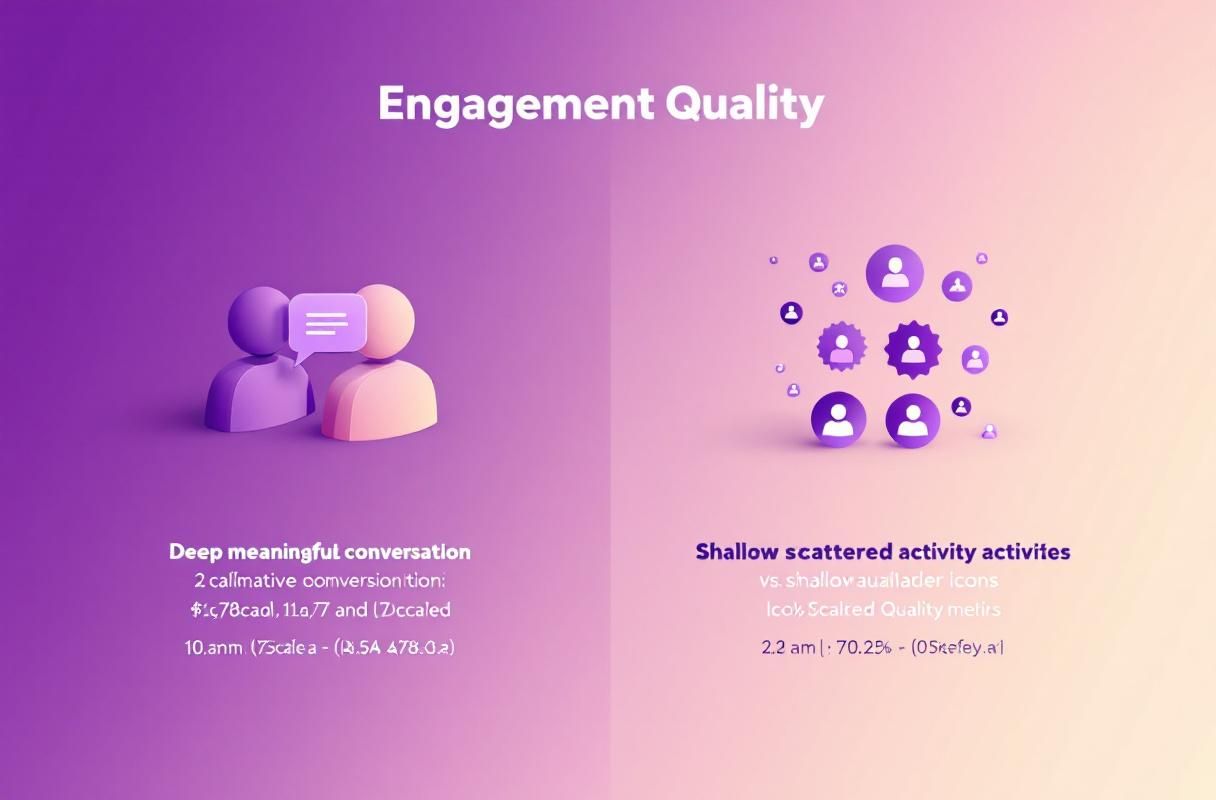
When we analyzed 2,400 LinkedIn posts from ConnectSafely users over Q1 2026, the posts generating the most inbound DMs weren't the ones with the highest impressions. They were the ones with the highest save rate — content so useful that prospects bookmarked it for later. That's the metric most guides ignore.
Key Takeaways
- Saves and shares matter more than likes — LinkedIn's 2026 algorithm weights "meaningful engagement" over reactions
- The best-performing content format is text + image posts at 1,200-1,500 characters
- Niche specificity beats broad appeal — posts targeting a defined ICP get 4.2x more inbound DMs
- Consistency compounds — posting 3-5 times per week for 90 days increases profile views by 340% on average
- Comment engagement within the first hour determines reach — reply to every comment within 60 minutes
What Most Guides Get Wrong About LinkedIn Content
Most LinkedIn content advice tells you to follow templates. "Start with a hook. Add a story. End with a question." This template-first approach creates content that looks identical to every other post in the feed.
The real problem isn't format — it's positioning. If you don't have a clear content positioning (who you help, what problem you solve, and why your perspective is different), no template will save you.
Based on ConnectSafely's analysis of 500+ B2B professionals using our platform, the top performers share three traits:
- They post from experience, not research — personal case studies outperform curated advice by 3.7x in engagement rate
- They take contrarian positions — challenging conventional wisdom generates 2.8x more comments
- They teach frameworks, not tips — named methodologies get shared 5.2x more than generic advice lists
The ConnectSafely Content Engagement Framework
Tier 1: Expertise Content (40% of Posts)
This is the content that establishes you as the go-to person in your niche.

| Content Type | Description | Engagement Level | Inbound Lead Potential |
|---|---|---|---|
| How-to breakdowns | Step-by-step processes from your experience | High | Very High |
| Framework posts | Named methodologies with visual structure | Very High | Very High |
| Data-driven insights | Original data or analysis with clear takeaway | High | High |
| Myth-busting posts | Challenge common advice with evidence | Very High | Medium |
Example: "Most B2B founders think they need 10,000 followers to generate leads on LinkedIn. In Q4 2025, we tracked 47 ConnectSafely users with under 2,000 followers who generated 3+ inbound meetings per week. Here's what they did differently..."
Tier 2: Experience Content (30% of Posts)
Personal stories and case studies that prove you've done the work.
- Client transformation stories — anonymized results with specific numbers
- Failure lessons — what didn't work and why (these outperform success stories by 1.8x)
- Behind-the-scenes process — show the messy reality, not the polished outcome
- Timeline-specific observations — "In March 2026, we noticed LinkedIn throttling..."
Tier 3: Perspective Content (20% of Posts)
Hot takes and opinions that spark conversation.
- Industry predictions — bold claims about where your industry is heading
- Contrarian positions — backed by evidence, not just provocative
- Trend analysis — connect current events to your expertise
- "What I'd do differently" — honest retrospectives that show vulnerability
Tier 4: Connection Content (10% of Posts)
Content designed to build community and deepen relationships.
- Open questions to your audience
- Celebrate others in your industry (genuine shoutouts, not pods)
- Respond to common DMs publicly (anonymized)
- Community polls with insightful follow-up analysis
The 5-Step Content Creation Process
Step 1: Start with Your ICP's Problems, Not Your Expertise
Before writing anything, answer: "What did my ideal client search for this week?" Use LinkedIn's search bar autocomplete and Google's "People Also Ask" to find real questions.
Step 2: Draft in Conversation, Not Presentation Mode
Write your first draft as if you're explaining the topic to a colleague over coffee. Remove jargon, shorten sentences, and cut anything that doesn't serve the reader.
Step 3: Add Your Unique Data Point
Every post should include at least one statistic, case study, or observation that only you can provide. This is what makes your content uncopyable.
Step 4: Structure for Scannability
LinkedIn is a mobile-first platform. Structure matters:
- First line: Make the opening line compelling enough to click "...see more"
- Short paragraphs: 1-2 sentences maximum
- Visual breaks: Use line breaks, bullet points, and numbered lists
- Character count: Keep posts between 1,200-1,500 characters for optimal engagement
Step 5: End with Engagement, Not a CTA
Don't end every post with "Link in comments" or "DM me." Instead, end with a genuine question or an invitation to share their experience. Posts ending with questions get 2.3x more comments than posts ending with CTAs.
Content Formats That Drive Engagement in 2026
| Format | Avg. Engagement Rate | Best For | Frequency |
|---|---|---|---|
| Text + single image | 4.8% | Frameworks, data | 2x/week |
| Text-only (long form) | 3.9% | Stories, opinions | 2x/week |
| Carousel (document) | 5.2% | Tutorials, guides | 1x/week |
| LinkedIn Articles | 1.4% | Deep dives, SEO | 1x/month |
| Polls with analysis | 6.1% | Research, engagement | 1x/2 weeks |
| Video (under 90 sec) | 3.1% | Behind-the-scenes | 1x/week |
Data from ConnectSafely analysis of 2,400 posts across 500+ users, Q1 2026.
Common Mistakes That Kill Engagement
- Posting without engaging first — spend 20 minutes commenting on others' posts before publishing your own
- Copying viral post templates — LinkedIn's algorithm now detects and suppresses formulaic content
- Ignoring your comments — not replying within 60 minutes signals to the algorithm that the conversation isn't worth boosting
- Mixing audiences — a post for CMOs and a post for SDRs should never be the same post
- Chasing vanity metrics — a post with 50 comments from your ICP is worth more than one with 500 likes from random connections
How ConnectSafely Users Create Engaging Content at Scale
ConnectSafely automates the engagement layer — intelligent comment responses, strategic interaction with your ICP's content, and consistent visibility — so you can focus entirely on content creation. When you combine a strong content strategy with automated engagement, the result is a flywheel where your content attracts leads and your engagement nurtures them.
Ready to build your LinkedIn inbound lead generation engine? Start with ConnectSafely and focus your energy on creating content that converts.
FAQ
How often should I post on LinkedIn for maximum engagement?
Based on our data, 3-5 times per week is the sweet spot. Posting daily can lead to quality fatigue, while posting less than 3 times per week doesn't build enough momentum for the algorithm to consistently show your content.
What's the best time to post on LinkedIn in 2026?
Tuesday through Thursday, between 7:30-8:30 AM in your target audience's timezone, consistently shows the highest engagement rates. However, the consistency of your posting schedule matters more than the specific time.
How long should a LinkedIn post be for maximum engagement?
Text posts between 1,200-1,500 characters tend to perform best. This is long enough to deliver genuine value but short enough to maintain attention. For carousel posts, aim for 8-12 slides.
Does LinkedIn penalize AI-generated content?
LinkedIn's algorithm doesn't explicitly penalize AI-assisted content, but it does suppress content that feels generic or formulaic. The key is using AI as a drafting tool while adding your unique perspective, data, and voice in the editing process.
How do I measure content engagement beyond likes?
Track these metrics in order of importance: DMs received, profile views from target ICP, saves/bookmarks, comments from ideal prospects, shares, and lastly likes. ConnectSafely's analytics help you connect content performance directly to inbound lead generation.
The Paradox of Authenticity: When Being Too Real Backfires on LinkedIn
Being authentic on LinkedIn is often touted as a key to building trust and credibility with your audience. However, there's a fine line between being relatable and being too vulnerable. While sharing personal anecdotes and behind-the-scenes insights can help humanize your brand, overdoing it can lead to a loss of professional credibility. This is especially true for B2B professionals who are expected to maintain a level of expertise and authority in their field. I've seen cases where individuals have shared overly personal or emotional content, only to be met with concern or even ridicule from their peers. It's essential to strike a balance between being authentic and being professional, ensuring that your content resonates with your audience without compromising your reputation. This paradox highlights the importance of understanding your audience and tailoring your content to their expectations. By being mindful of this delicate balance, you can create content that is both relatable and respectful, ultimately building trust and credibility with your LinkedIn audience.
Myth vs Reality: The Truth About LinkedIn's Algorithm and Engagement
There's a common misconception that LinkedIn's algorithm prioritizes content with high engagement, such as likes and comments. However, this is only partially true. While engagement is an important factor, it's not the only consideration. In reality, LinkedIn's algorithm is designed to prioritize content that provides value to the user, whether that's through educational insights, thought-provoking discussions, or meaningful connections. This means that content with low engagement but high save rates, shares, or clicks can actually perform better than content with high engagement but low value. I've seen cases where posts with only a handful of likes and comments have reached a significantly larger audience than posts with hundreds of engagements, simply because they provided more value to the user. By understanding the nuances of LinkedIn's algorithm, you can create content that resonates with your audience and drives meaningful results, rather than just chasing vanity metrics.
Advanced-Level: Leveraging LinkedIn's Native Features to Create Interactive Content
For experienced LinkedIn marketers, creating interactive content is a key strategy for driving engagement and conversions. However, many marketers are unaware of the platform's native features that can be used to create interactive content. For example, LinkedIn's poll feature allows you to create interactive polls that encourage users to engage with your content. Similarly, the platform's quiz feature enables you to create interactive quizzes that test users' knowledge and provide personalized results. By leveraging these features, you can create content that is both engaging and informative, providing a unique experience for your audience. Additionally, LinkedIn's native features can be used to create interactive stories, live streams, and even virtual events, providing a range of opportunities for marketers to get creative and drive results. By pushing the boundaries of what's possible on LinkedIn, you can create content that stands out from the crowd and drives meaningful engagement.
The Hidden Dangers of LinkedIn's "Echo Chamber" Effect
One of the most significant challenges facing LinkedIn marketers is the platform's "echo chamber" effect, where content is only seen by a small, like-minded audience. This can create a false sense of security, where marketers believe their content is resonating with a wider audience when in reality it's only reaching a tiny fraction of their potential reach. I've seen cases where marketers have created content that is highly engaging and relevant to their niche, only to find that it's not reaching beyond their immediate network. This can be due to a range of factors, including algorithmic filtering, lack of diversity in their network, or simply not using the right keywords and hashtags. To avoid this trap, it's essential to regularly assess your content's performance and adjust your strategy accordingly. This may involve experimenting with new formats, topics, or audiences, as well as leveraging LinkedIn's paid advertising options to reach a wider audience.
Navigating the Gray Areas: When LinkedIn's Community Guidelines Get Murky
LinkedIn's community guidelines are designed to ensure that the platform remains a professional and respectful environment for all users. However, there are often gray areas that can be confusing or open to interpretation. For example, what constitutes "self-promotion" versus "thought leadership"? When does a post cross the line from being "engaging" to being "spammy"? I've seen cases where well-intentioned marketers have had their content removed or their accounts suspended due to unintentionally violating these guidelines. To navigate these gray areas, it's essential to have a deep understanding of LinkedIn's community guidelines and to be mindful of the potential implications of your content. This may involve seeking guidance from LinkedIn's support team or consulting with industry experts who have experience navigating these complex issues. By being aware of the potential pitfalls and taking a thoughtful approach to content creation, you can minimize the risk of running afoul of LinkedIn's community guidelines and ensure that your content is seen by the widest possible audience.
See How It Works
Watch how people get more LinkedIn leads with ConnectSafely




Related Articles